
Home Page
The Home Page displays the Gregorian calendar showing an All Events Filter. A default all events filter displays all meetings / events, assets and documents deadlines. Filters can be created and customized to present different views.
How To: Create a New Calendar Filter
The Calendar Home Page has one default filter, All Events, that includes all meetings, events, assets, and documents available to the user on the calendar. The default filter shows below the Calander header.

Making any changes from the current view of the filter you are currently using will allow you to save a new filter. Examples of changes that can be made include de-selecting a filter checkbox below the mini-month calendar view or by clicking the filter icon to the right of the Events Calendar and de-selecting options, such as Meetings Shared With Me.

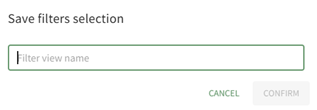
Select the “+ Save Filters” button to create a new calendar filter, opening the Save Filters Selection Modal.
You can also select the “+” icon to the right of the existing calendar filters to open the Save Filters Selection Modal.

Select the “Confirm” button, and the new filter view now shows on the Home Page.

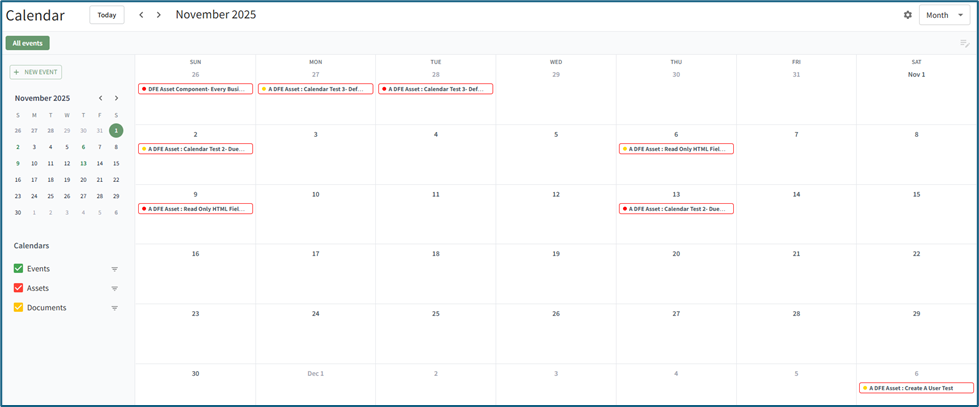
The calendar can be shown in a monthly, weekly, daily, or schedule view. The schedule view presents calendar data in a continuous, vertically scrolling list organized by date and time. Each event or deadline is displayed in sequential order. Unlike the monthly, weekly, or daily grid layouts, the schedule view emphasizes a linear timeline of upcoming activities, allowing users to quickly reference or edit events without navigating between calendar pages.
Understanding the Calendar Module Home Page
There are several features on the Calendar Home Page that allow for customization explained in the table below.
Understanding the Calendar Home Page | ||
Button / Icon | Associated Action | |
| Selecting the “Today” button will return the calendar view to the current day / month. For the month view, the current date will be indicated by a blue rectangle with the date inside. For the week view, the current day is shown in blue. |
|
| Clicking the left arrow will change the calendar view to the previous month / week / day. Clicking the right arrow will change the calendar view to the next month / week / day. | |
| The default All events filter restores the Calendar to showing all available events to the user, removing any user-applied filters. | |
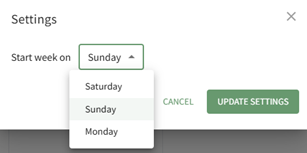
| Selecting the “Settings” icon will open the Settings Modal. This allows a user to customize the first day of the week on the calendar between Saturday, Sunday, and Monday. |
|
| The View dropdown menu allows a user to select between a daily, weekly, monthly, or schedule calendar view. | |
| Selecting the “New Event” button on the calendar Home Page opens the New Event Modal. How To: Create a New Calendar EventTo create a new calendar event, open the Home Page of the Calendar Module.
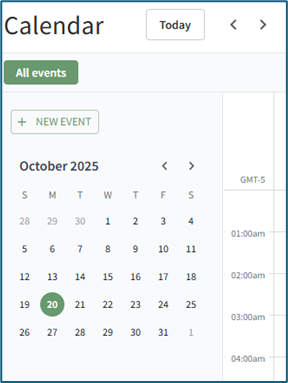
Select the “New Event” button on the left-hand side above the mini-monthly calendar view.
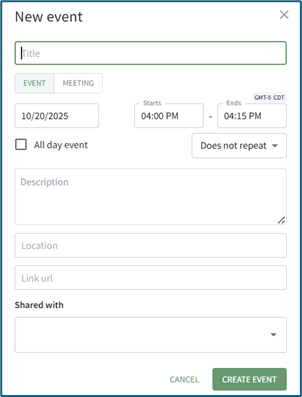
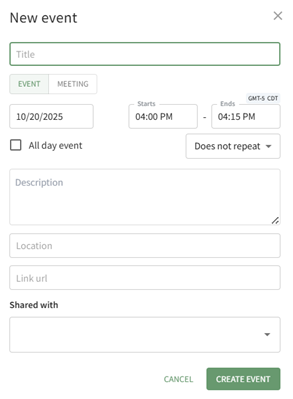
This opens the New Event Modal.
Input the title of the new event. Select whether the new event is an event or meeting. The selected value will be indicated by green text and a lightly filled background. Select the calendar icon in the date field, opening a calendar modal. Select the date of the meeting/event.
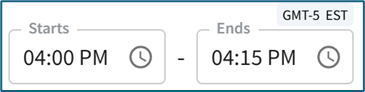
Input a start and end time. The time zone is indicated above the end time. Select the checkbox if the meeting / event takes place all day.
Use the dropdown menu to indicate if the meeting/event does not repeat, repeats daily / weekly / monthly / yearly, or every weekday. Input a meeting / event description, location, and include a URL Link if relevant. The meeting / event can be shared by selecting an individual, an access level, or a certification role. Users selected here will then be able to see the meeting / event on their Calendar, Select the “Create Event” button, and the event will now show on the calendar. |
|
| Selecting either of the two buttons on the Home Page opens the Save Filters Selection Modal. How To: Create a New Calendar FilterThe Calendar Home Page has one default filter, All Events, that includes all meetings, events, assets, and documents available to the user on the calendar. The default filter shows below the Calander header.
Making any changes from the current view of the filter you are currently using will allow you to save a new filter. Examples of changes that can be made include de-selecting a filter checkbox below the mini-month calendar view or by clicking the filter icon to the right of the Events Calendar and de-selecting options, such as Meetings Shared With Me.
Select the “+ Save Filters” button to create a new calendar filter, opening the Save Filters Selection Modal. You can also select the “+” icon to the right of the existing calendar filters to open the Save Filters Selection Modal.
Select the “Confirm” button, and the new filter view now shows on the Home Page.
|
|







No comments to display
No comments to display