
Attendance Log: All Entries Page
The All Entries Page displays a table that shows all current and historical entries in the Attendance Log. The columns displayed in the All Entries Table were selected when you created the attendance log and can be edited if desired.
How To: Edit the Columns on the All Entries Page Table
{{@511}}
The three-dot icon to the right of the page header opens a context menu with options for navigating the different pages of the attendance log. WIKI LINK ATTENDANCE LOG CONTEXT MENU OPTIONS
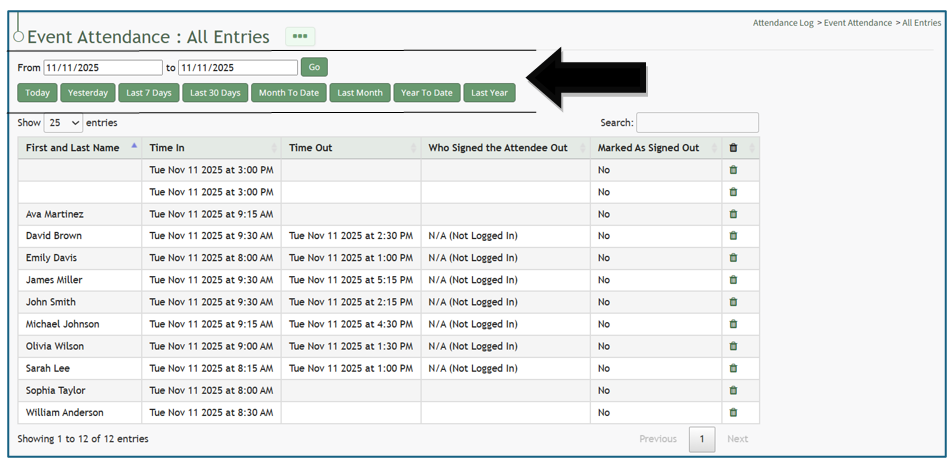

A dynamic restriction field allows the All Entries Table to pull entries relevant to a specific time period that can be input, and has buttons to pull entries for today, yesterday, the last 7 days, last 30 days, month to date, last month, year to date, and last year. There is also a search filter that allows you to search for and find entries as needed.
Individual entries can be deleted from the All Entries Page.
How To: Delete an Individual Attendance Log Entry
{{@509}}