Assets Settings Page: Task Template Tab
A Task Template is a user generated tool used to aid bulk task schedule creation. Task templates are created from the task schedule of a pre-existing asset.
The Task Template Tab on the Settings Page shows all existing templates in tabular format. A user can search for different task templates through the filter. New task templates are created through the Add Task Template button on this tab.
How To: Create a New Task Schedule Template
WIKI LINK HOW TO: CREATE A NEW TASK TEMPLATE{{@471}}
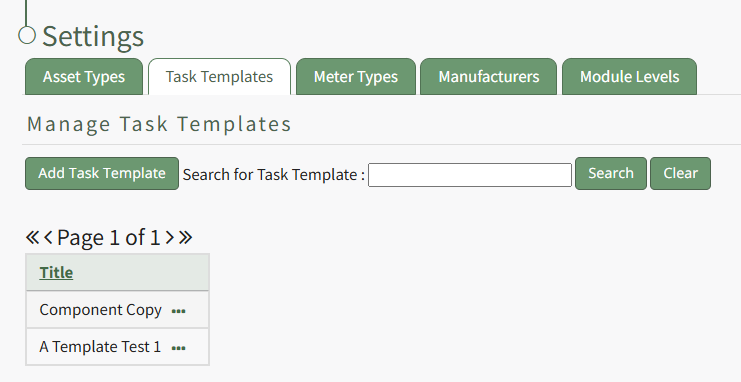
Existing task templates are shown by title in the Task Template Table on this tab.
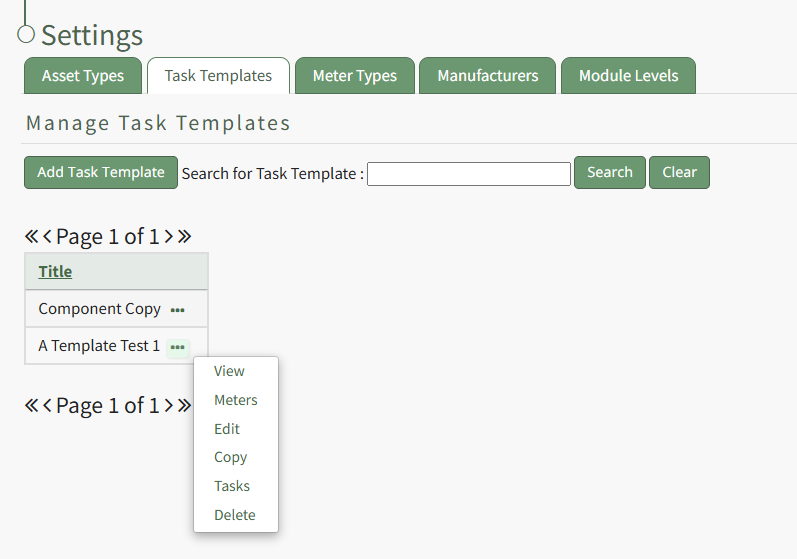
Selecting the three-got icon to the right of the Task Template title will open the Task Template Context Menu which displays options
Task Template Context Menu Option Explanation Table | |
Option | Explanation |
View |
Select “View” from the context menu to open the View Modal that shows the title of the Task Template.
|
Meters | Select “Meters” from the context menu to open the Meters for (Name of Task Template) modal. The modal provides a list of all meters associated with the Task Template and includes an “Add Meter” button that allows the user to add additional meters to the Task Template. How To: Add Meters to a Task Template
|
Edit | Select “Edit” from the to open the Edit Task Template modal, which allows the user to change the task template name. How To: Change a Task Template Name
|
Copy | Select “Copy” from the context menu to open the Copy (Name of Task Template) Modal in order to make a copy of the task template from a pre-existing task template. How To: Copy and Rename a Task Template
|
Tasks | Select “Tasks” from the context menu to open the Task Schedule for the Task Template Page. Additional tasks and permissive groups can be added to the task template here. How To: Add Tasks to a Task Template
|
Delete | Select “Delete” from the context menu to open the Task Template Deletion Confirmation modal. Select “Confirm” to delete the task template. How To: Delete a Task Template
|
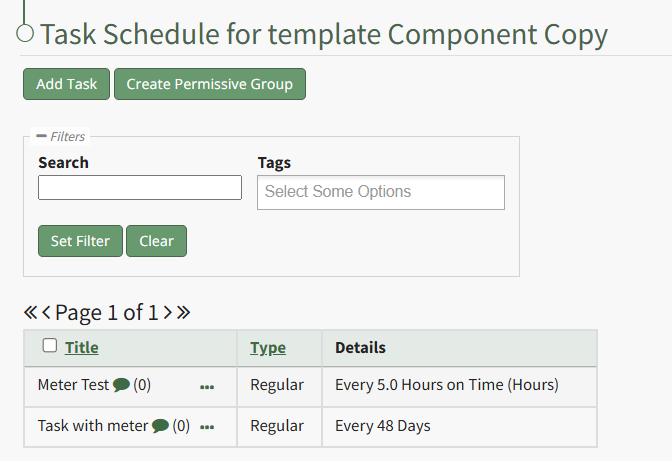
The Task Schedule for a Task Template Page
The Task Schedule for a Task Template Page is where the task template's tasks and permissive groups can be customized.