Assets Settings Page: Module Level Tab
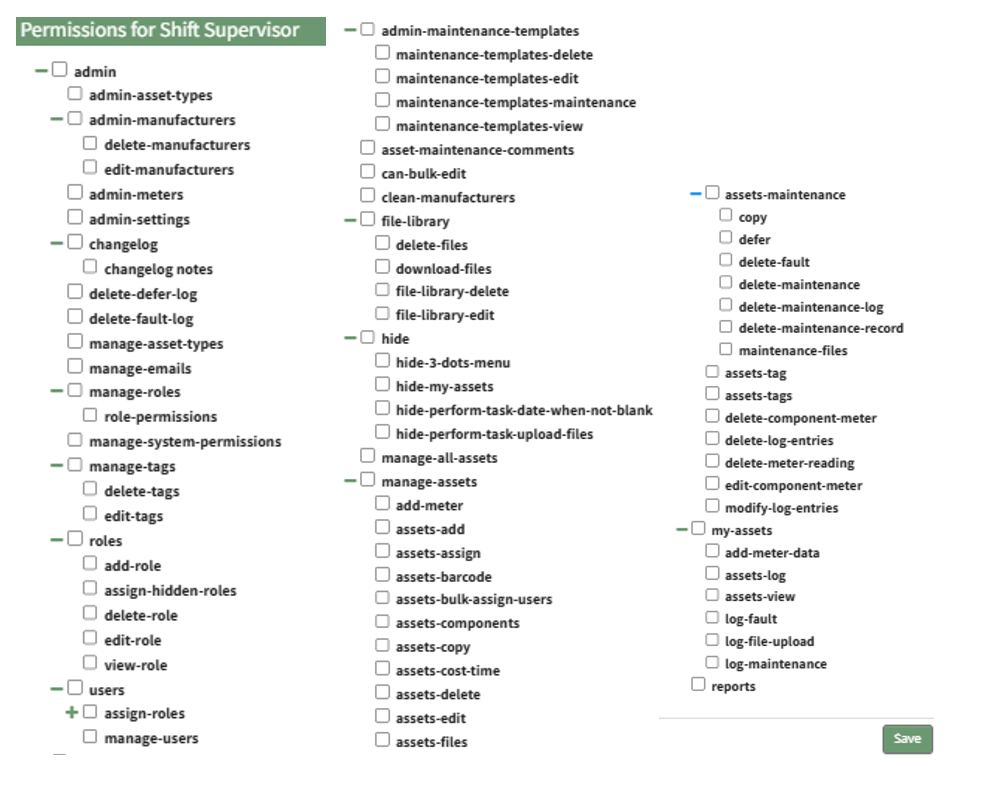
The Module levelsLevels tabTab showsof Settings Page can be accessed from the differentMain Menu. The system default module levels for the Assetsmodule are visible in the Module andLevels theTable. defaultNew module levels with customizable permissions thatcan grantedbe tocreated eachand modulemanaged level.on Thethis eye widget under the “Actions” column opens a modal that allows the user to view the permissions granted to the users with that role.tab.

There are four basesystem Moduledefault Levelsmodule levels associated with Tags Module. An explanation of the permissions associated with each default permissionsmodule level are shown in the Assets Module thatLevel Permissions Table below.
System default module levels cannot be altered by the user. The permissions associated with each are explained in the table below.customized.
Assets | |
Module Level | Permissions |
Admin | clean manufacturers, manage all assets, edit/delete/download files, log file uploads/faults/maintenance/modifications, log/view assets, pull reports, delete/modify log entries, add/delete/edit/assign/maintenance assets, add/delete meters and meter readings, view/edit/delete maintenance templates, maintenance comments, bulk editing permission |
Maintainer | upload files, log fault, log maintenance, add meter data, view/log assets |
Manager | delete/edit library files, delete/download files, upload files, log faults, log maintenance, add meter data, log/view assets, view reports, add maintenance comments, add/delete/edit/assign/copy assets, add/delete meters, edit/delete meter components, bulk editing permission |
Observer | Download files, view/log assets, view reports |
CustomizedNew Module Levels can be created.created in order to customize module level permissions. An explanation of the icons associated with customized module levels have been provided in the table below.
Module Level Customization Icons | |
Icon | Explanation |
| The eyeball icon allows you to view users assigned to the module level as well as the permissions assigned to them. |
| The bulleted list icon allows you to assign permissions to customized module levels. |
| The pencil icon opens the Edit Module Level Modal. |
| The trashcan icon opens the Delete Module Level Confirmation Modal. |


How To: Create a New Module Level (Assets Module)
{{@476}}