
Accounts Page Active Tab
The Active Tab in the Accounts Module displays the Active Accounts Table, which lists user accounts in the KAStrack system.
Individuals with Supervisor module level access will only see the users they supervise on this table, while individuals with Admin module level access will see all users sitewide.
The Active Accounts Table shows account data. Account fields are used as the column headers. The default columns are Name, Username, Email, Access Levels, Supervisors, Status (active/inactive), and Last Active.
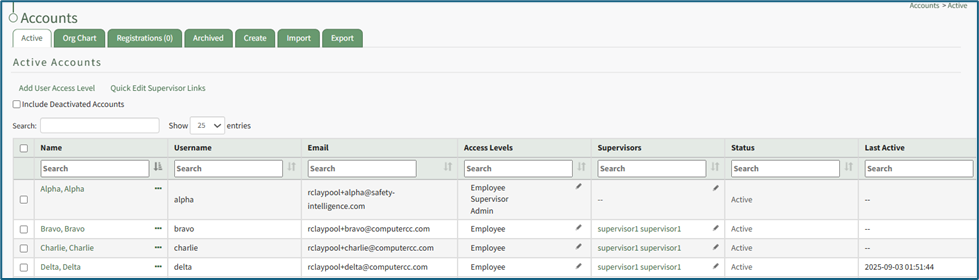
Any desired account field can be created by an administrator. WIKI LINK HOW TO: ADD A CUSTOM / ADDITIONAL USER ACCOUNT INFORMATION FIELD.
The Active Accounts table can be customized on the Table Defaults Tab of the Site Settings Module. WIKI LINK HOW TO: EDIT COLUMNS TABLE DEFAULTS TAB (SITE SETTINGS MODULE). This would include any additional account fields created as discussed above plus other existing account fields such as First Name, Last Name, Employee ID, Phone, Address 1, and Address 2.
The Active Tab has two clickable links: Add User Access Level (allows for the alteration of a user’s access levels) and Quick Edit Supervisor Links (allows for the alteration of the users a supervisor manages.)
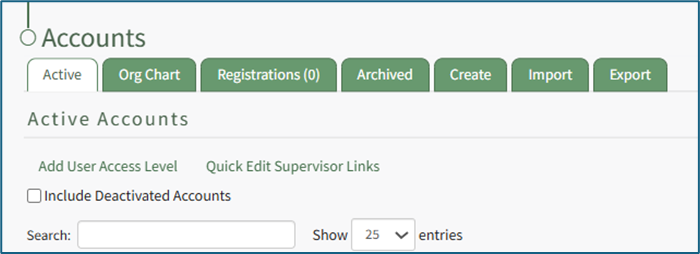
WIKI LINK HOW TO: ADD AN ACCESS LEVEL FOR AN INDIVIDUAL
WIKI LINK HOW TO: EDIT AN INDIVIDUAL’S SUPERVISOR
Select the “Include Deactived Accounts” checkbox to view accounts that are inactive on the active accounts table.
On the Active Tab, bulk actions are only available to individuals with Admin module level access. Selecting any checkbox in a row opens a bulk actions modal above the table. Selecting the checkbox in the first column of the top row selects / deselects all rows in the table.

Bulk action options are Deactivate, Archive, and Export QR Codes.