# Upload a Task File
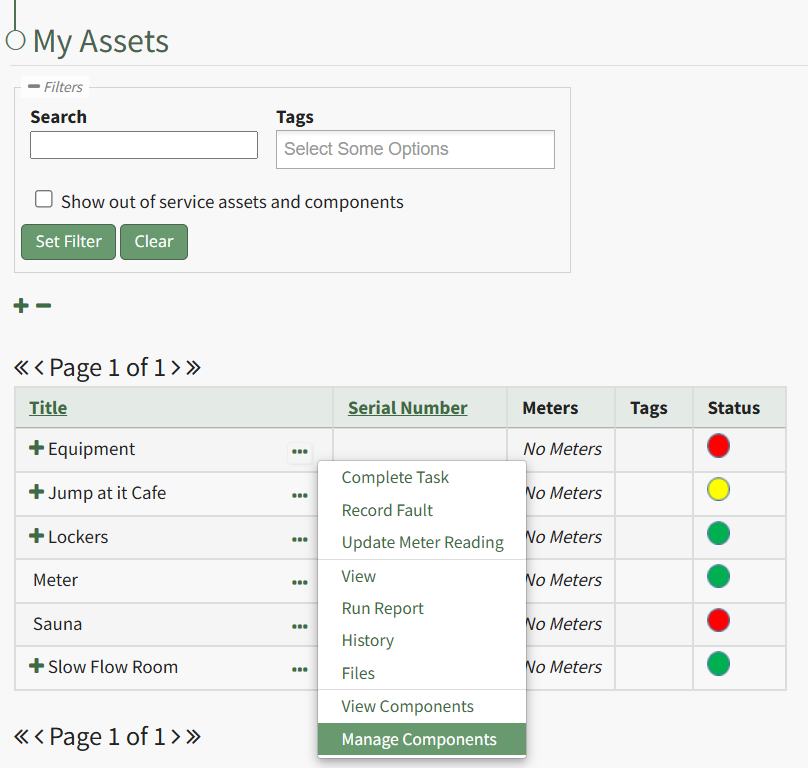
To upload a file to a task, open the Manage Assets Page in the Assets Module on the Main Menu. Use filters as needed and identify the asset/component with the task you want to upload a file to. Click the three-dot icon to the right of the asset title opening the Asset Management Context Menu.
[](https://kaswiki.kastrack.com/uploads/images/gallery/2026-01/82Himage.png)
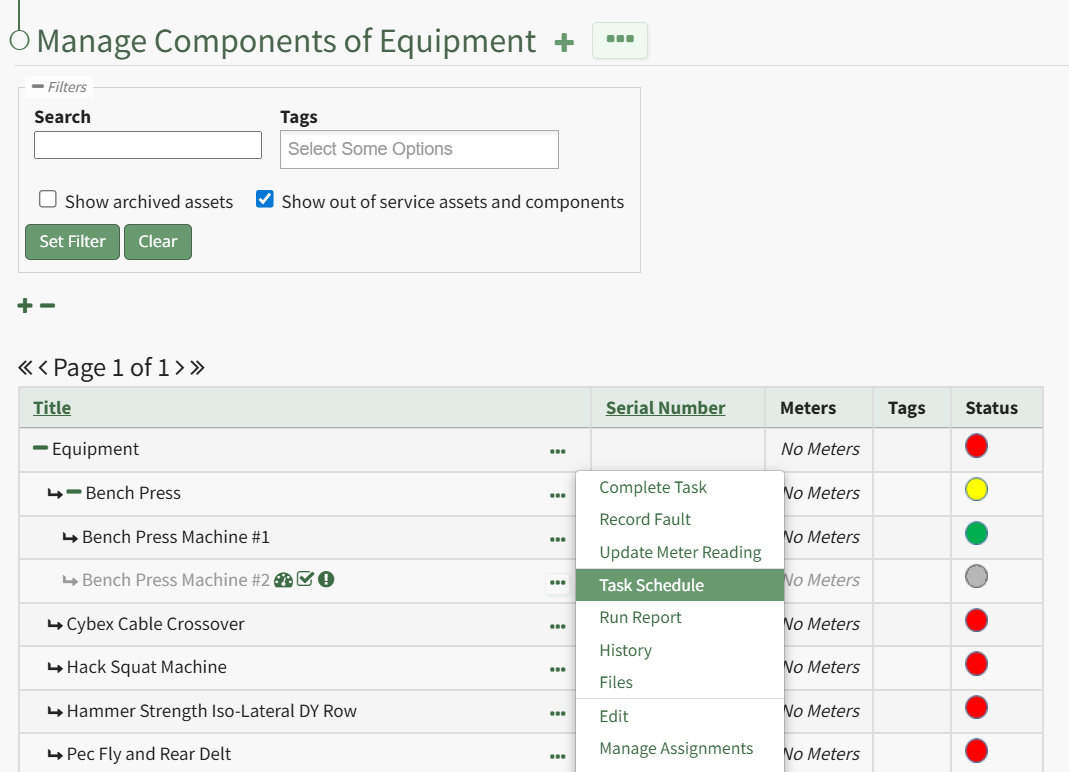
Select the "Manage Components" option, opening the Manage Asset Components Page. Select the three-dot icon to the right of the asset/component you wish to add interim notes to and select Task Schedule from the context menu.
[](https://kaswiki.kastrack.com/uploads/images/gallery/2026-01/WORimage.png)
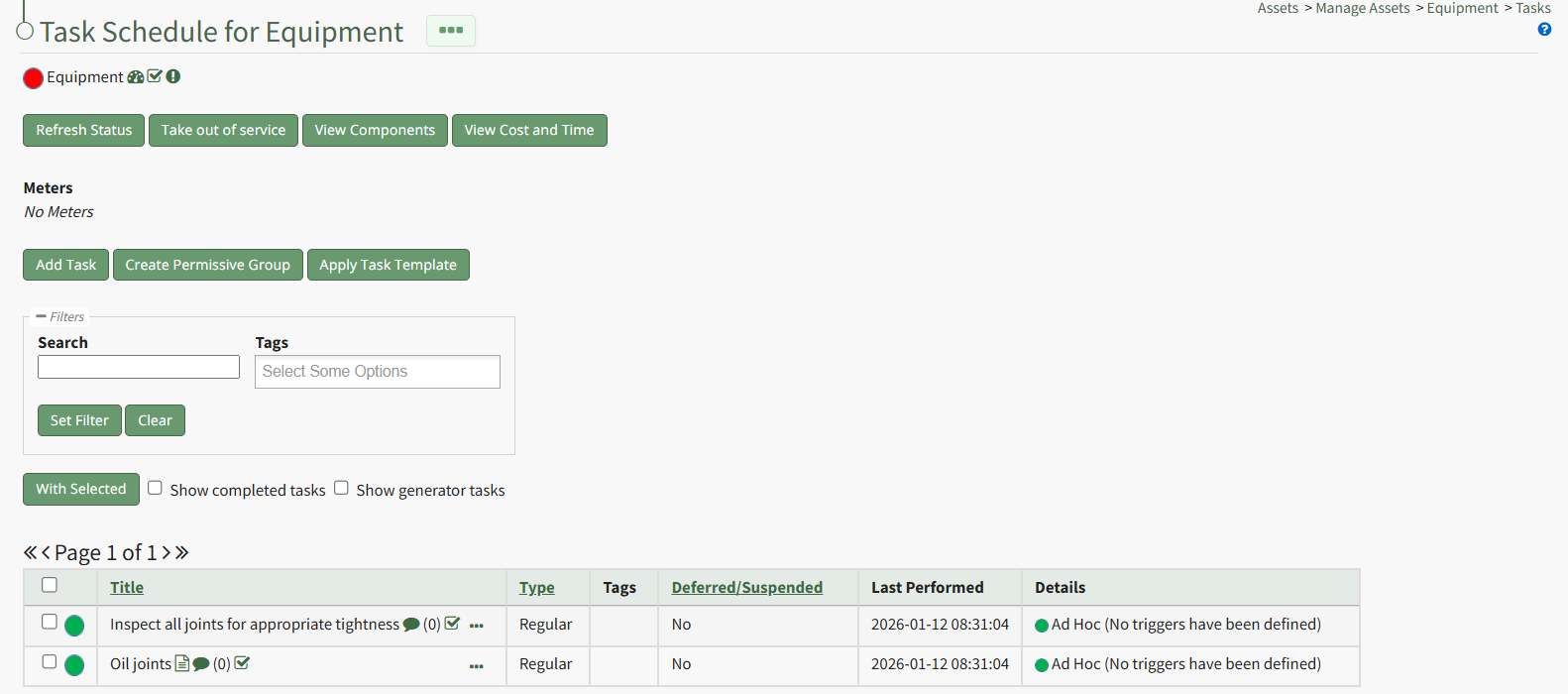
This opens the asset's Task Schedule.
[](https://kaswiki.kastrack.com/uploads/images/gallery/2026-01/GWCimage.png)
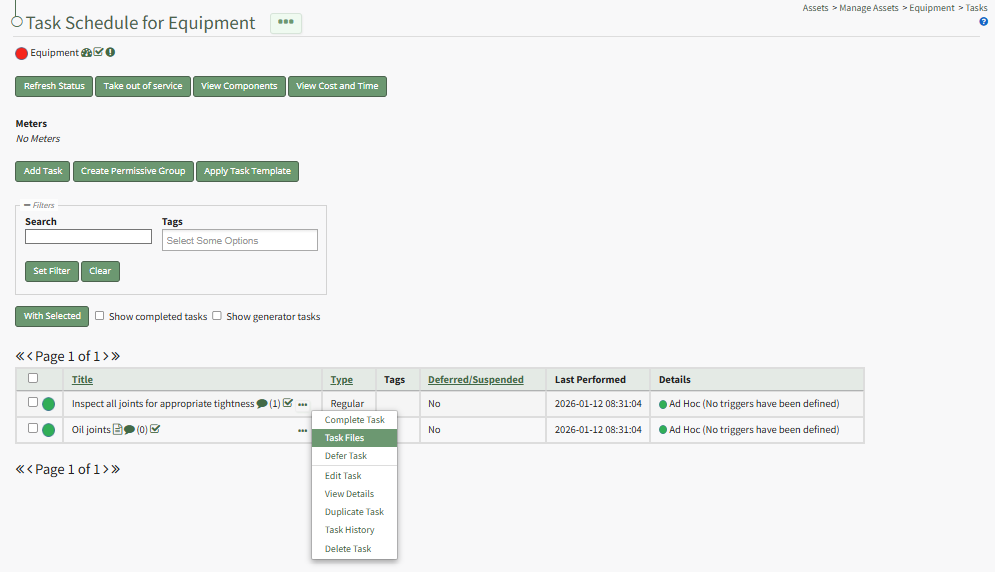
To upload a task file, click the three dot (…) icon next to the task title on the Task Schedule Table opening the context menu.
[](https://kaswiki.kastrack.com/uploads/images/gallery/2026-01/vp5image.png)
Select “Task Files” on context menu, opening the Files modal.
[](https://kaswiki.kastrack.com/uploads/images/gallery/2026-01/9Qhimage.png)
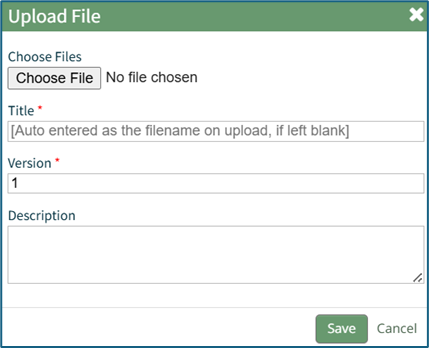
Select “Upload” to open the Upload File Modal.
[](https://kaswiki.kastrack.com/uploads/images/gallery/2026-01/zleimage.png)
Select the “Choose File” button to select the desired file from your computer. Add a file title, or KAStrack will use the name already attached to the file. Input a version number for the file and a description.
KAStrack recommends PDFs as the preferred file type.
Select “Save” to upload the file to the task or “Cancel” to close the modal and return to the Task Schedule Page.