# Submit Certifications/Competencies from the Supervisor Report Table

<span style="color: black; white-space: pre-wrap;">To submit certifications or competencies from the Report: Status table on the Supervisor Report Page of the People Module, confirm you are on the Supervisor Report tab. </span><span style="white-space: pre-wrap;"> </span>

[![image.png](https://kaswiki.kastrack.com/uploads/images/gallery/2026-01/scaled-1680-/NtPimage.png)](https://kaswiki.kastrack.com/uploads/images/gallery/2026-01/NtPimage.png)

<span style="color: black;">Click on the certification title listed in blue font, opening the User's Page on the User Certifications Tab to the specific Certification/Competency that you selected.</span><span style="white-space: pre-wrap;"> </span>

<p class="callout info">**A red dot to the left of the certification title indicates that the certification is pending approval.**</p>

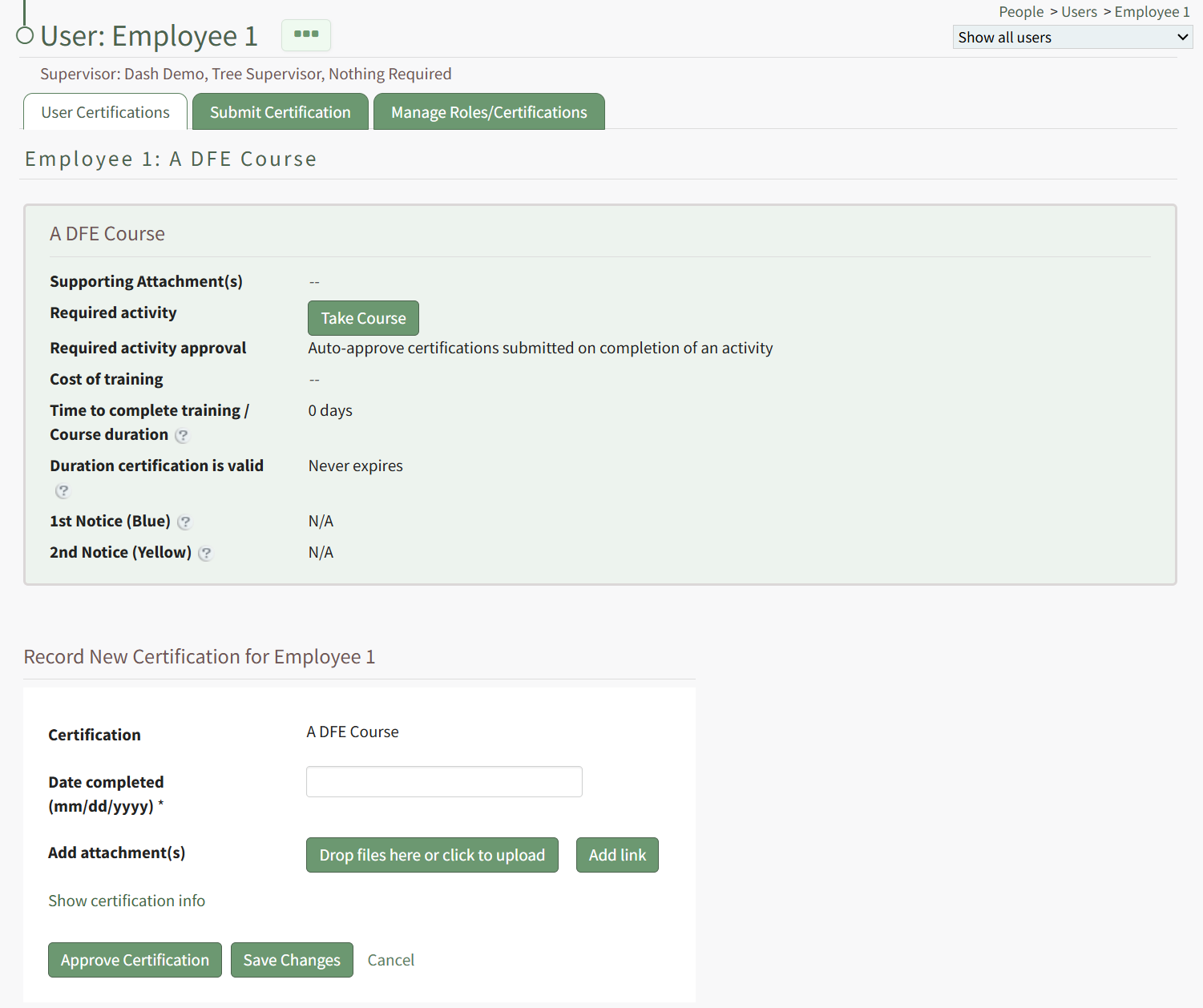
<span style="color: black;">Scroll below the certification/competency information to the “Record New Certification for (User Name)” Section.</span>

[![image.png](https://kaswiki.kastrack.com/uploads/images/gallery/2026-01/scaled-1680-/VqQimage.png)](https://kaswiki.kastrack.com/uploads/images/gallery/2026-01/VqQimage.png)

<span style="color: black; white-space: pre-wrap;">Input the dates that the certification/competency certificate was completed and expires in MM/DD/YYYY format. </span>

<span style="color: black;">To add any files, click “Drop files here or click to upload.” To add a URL link, select “Add link.”</span>

<span style="color: black;">To comment on the submitted certification, input your comments into the textbox and select “Add Comment”.</span>

<span style="color: black;">To set the certification/competency as complete, click “Approve Certification”.</span>