# Send an Email in KAStrack

To send a system email in KAStrack, open the Send Communications Page in the Communications Module from the Main Menu.

[![image.png](https://kaswiki.kastrack.com/uploads/images/gallery/2026-06/scaled-1680-/5tBimage.png)](https://kaswiki.kastrack.com/uploads/images/gallery/2026-06/5tBimage.png)
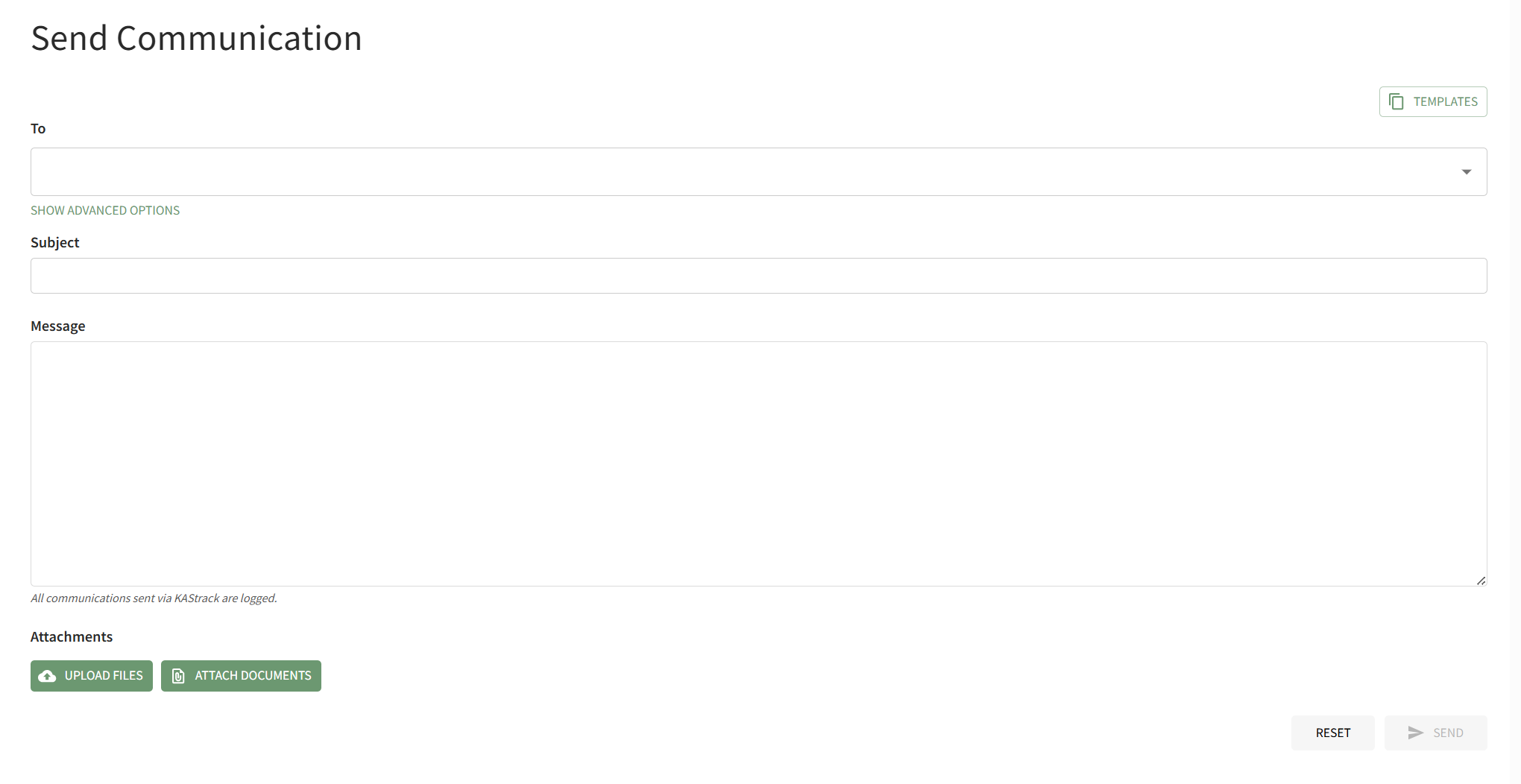
Select the individual users, certification roles or access levels you wish to send the message to from the dropdown menu in the "To" field. Input the Subject and Message.

[![image.png](https://kaswiki.kastrack.com/uploads/images/gallery/2026-06/scaled-1680-/rwmimage.png)](https://kaswiki.kastrack.com/uploads/images/gallery/2026-06/rwmimage.png)
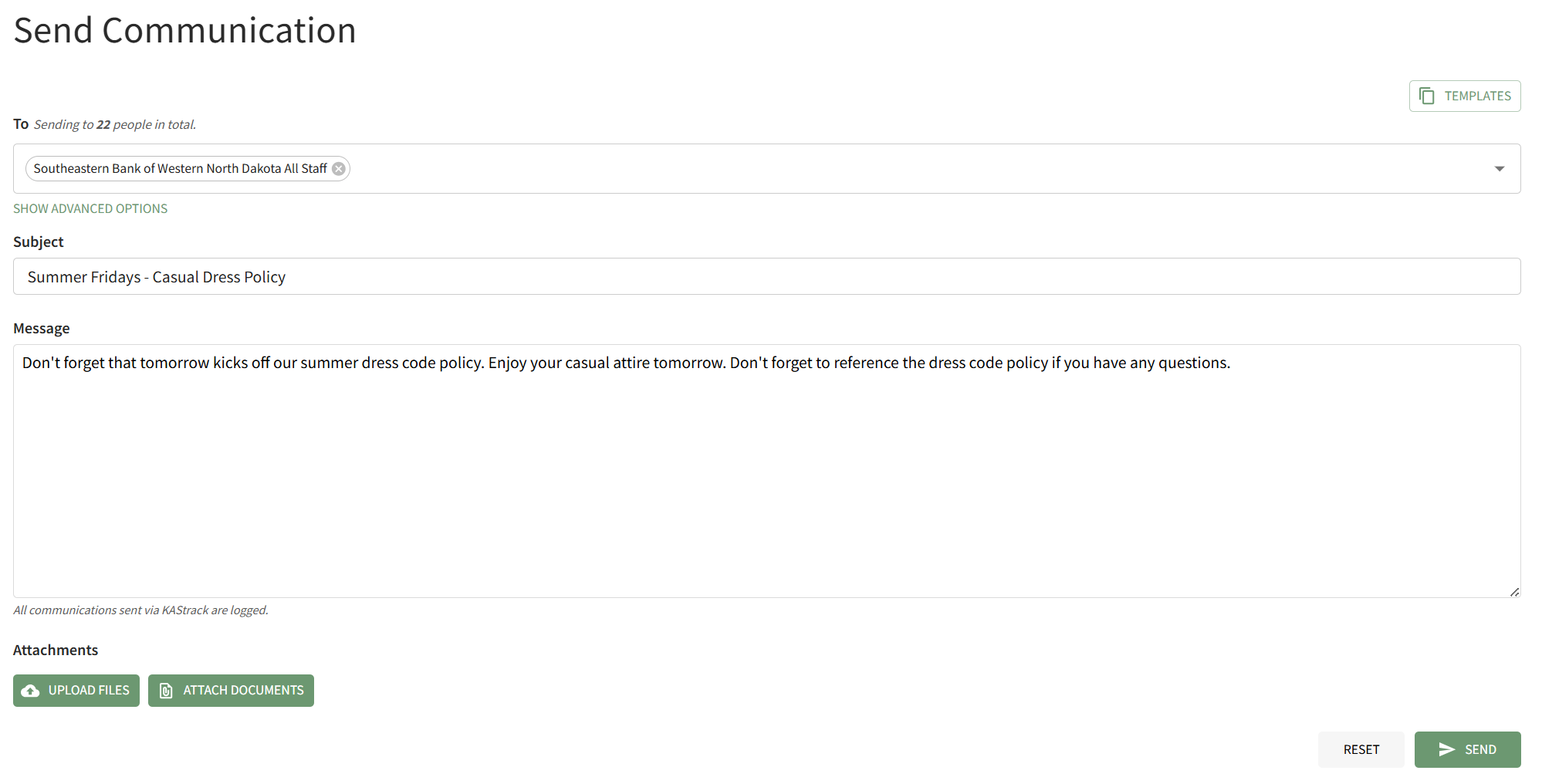
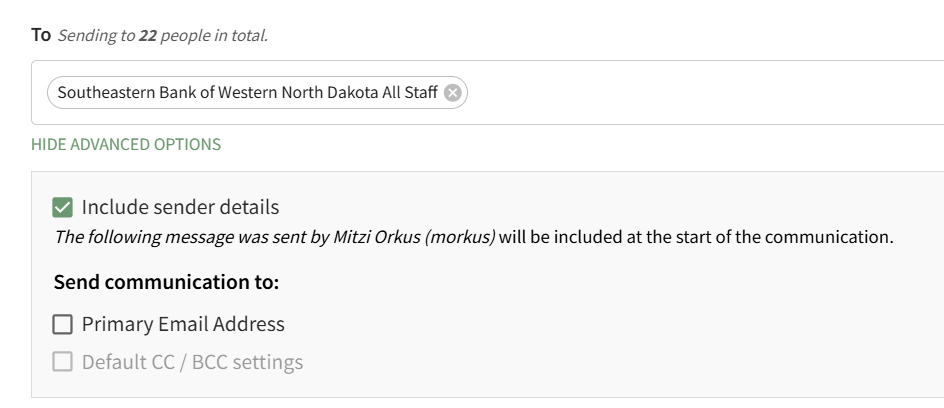
Individuals with an Admin Access Level have access to advanced options.

[![image.png](https://kaswiki.kastrack.com/uploads/images/gallery/2026-06/scaled-1680-/A1himage.png)](https://kaswiki.kastrack.com/uploads/images/gallery/2026-06/A1himage.png)
<details id="bkmrk-how-to%3A-attach-a-fil"><summary>How To: Attach a File to an Email</summary>

{{@922}}

</details><details id="bkmrk-how-to%3A-attach-a-doc"><summary>How To: Attach A Documents Module File to an Email</summary>

{{@921}}

</details>When you are ready to send the system message, click the "Send" button in the bottom right-hand corner of the page.

If there is an error sending the message, the system will communicate that through a modal at the bottom of the page.

[![image.png](https://kaswiki.kastrack.com/uploads/images/gallery/2026-06/scaled-1680-/O9Ximage.png)](https://kaswiki.kastrack.com/uploads/images/gallery/2026-06/O9Ximage.png)

You will automatically return to the Send Communications Page so that the issue can be addressed.