# Restore an Archived User Account
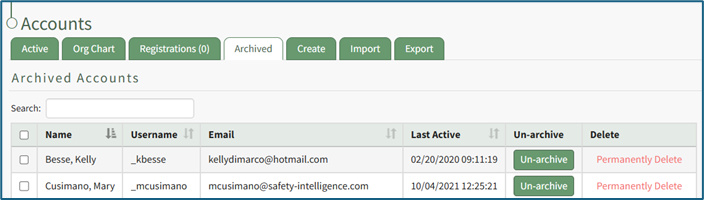
To restore an archived account, go to the Archived Tab on the Accounts Page in the Accounts Module.
[](https://kaswiki.kastrack.com/uploads/images/gallery/2025-11/L6mimage.png)
All archived accounts show in the Archived Accounts Table. Identify the user whose account you want to restore and select the “Un-archive” button.
[](https://kaswiki.kastrack.com/uploads/images/gallery/2025-11/58Aimage.png)
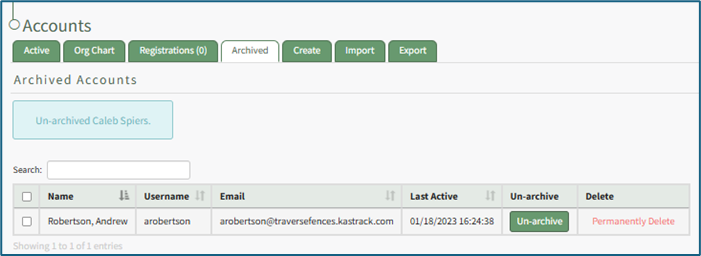
A message will appear in blue indicating that the selected user has been un-archived. The user no longer appears on the Archived Tab, showing on the Active Account Table on the Active Tab instead.
If you wish to restore multiple accounts at once, use the checkboxes beside each account to select multiple accounts, then click the Un-archive button from the With Select popup that shows above the table once checkboxes have been selected.