Integrate Another Module Into a Form
To integrate another module into a form, go to the Home Page in the Forms Module. Click the three-dot icon to the right of the form you wish to edit opening the specific form’s context menu. Select “Form Properties”.
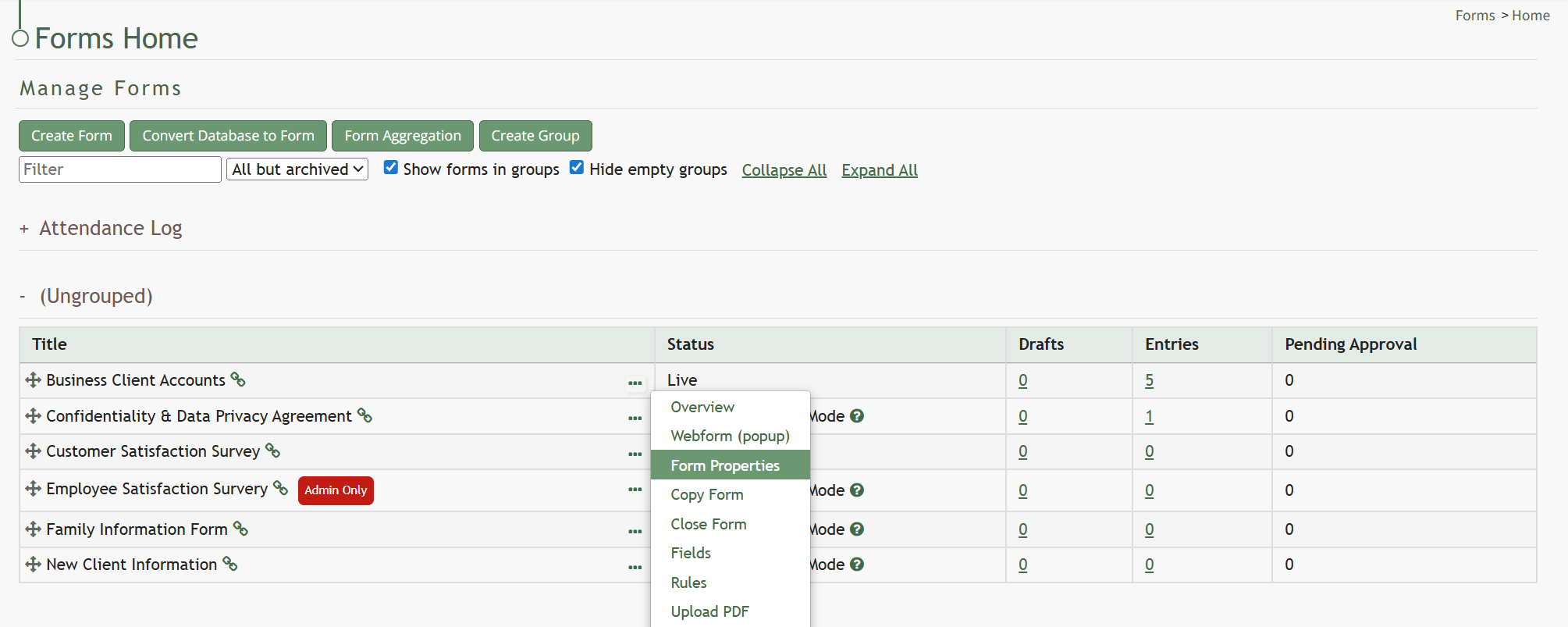
This opens the Form Properties Modal.
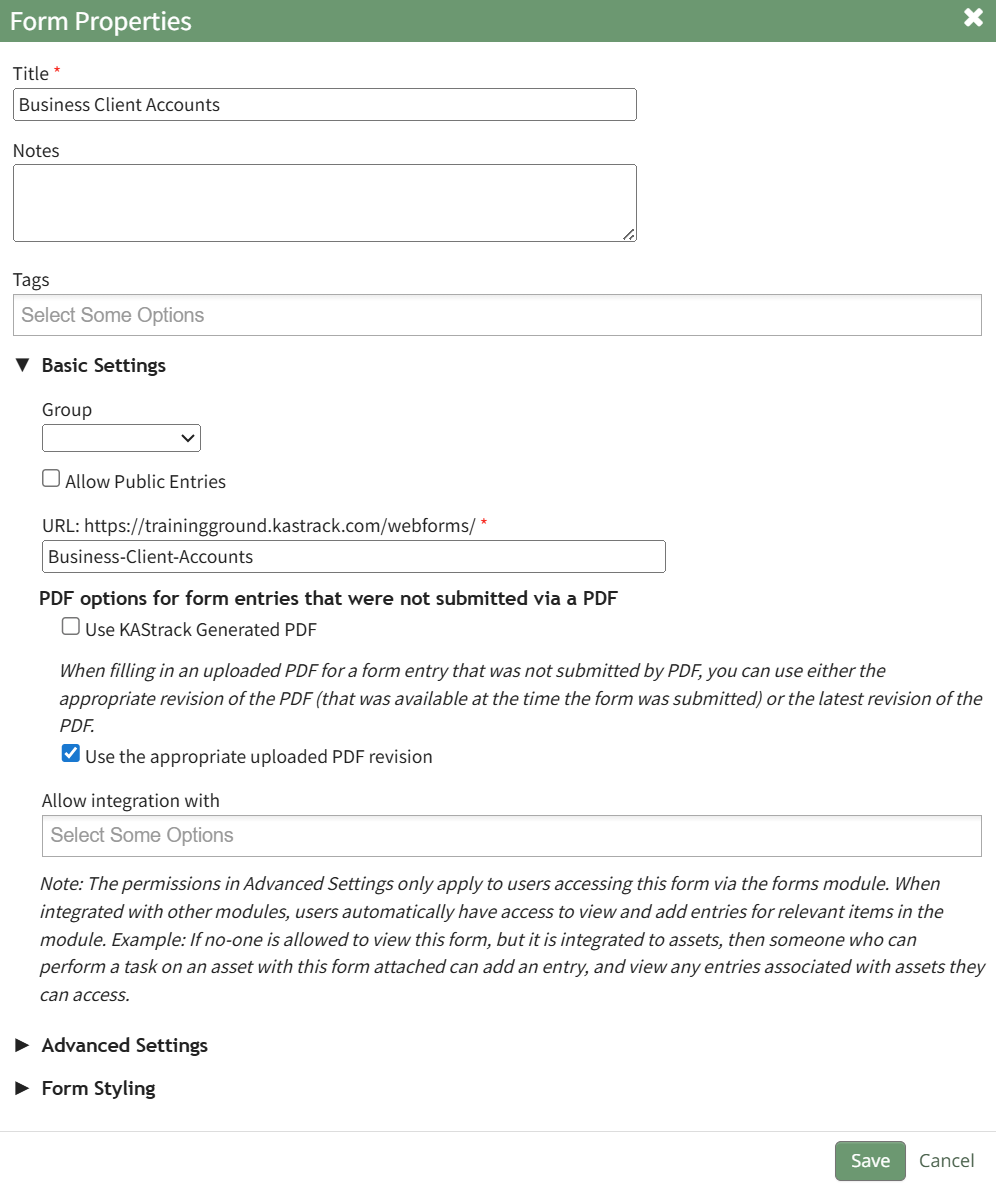
Under the Basic Setting section, a dropdown menu follows “Allow integration With”. Select the modules you wish to integrate into the form.
Select “Save” and the form will now be visible within the modules selected.