Edit the Order of Pages in a Course
To edit the order of pages in the course, you must be on the course's Details Page.
How To: Access A Course's Details Page
To access a course's details page, open the Courses Module Home Page from the Main Menu. Click the three-dot icon to the right of the right of the course whose Details Page wish to access, opening the Course Context Menu.
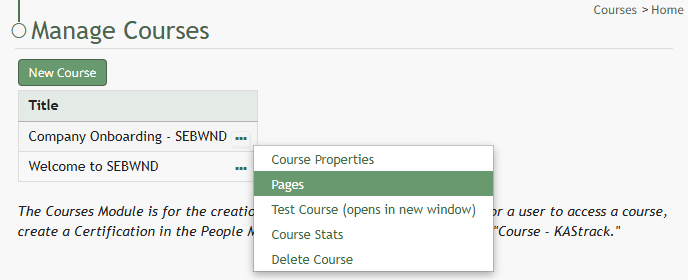
Select "Pages" from the Context Menu.
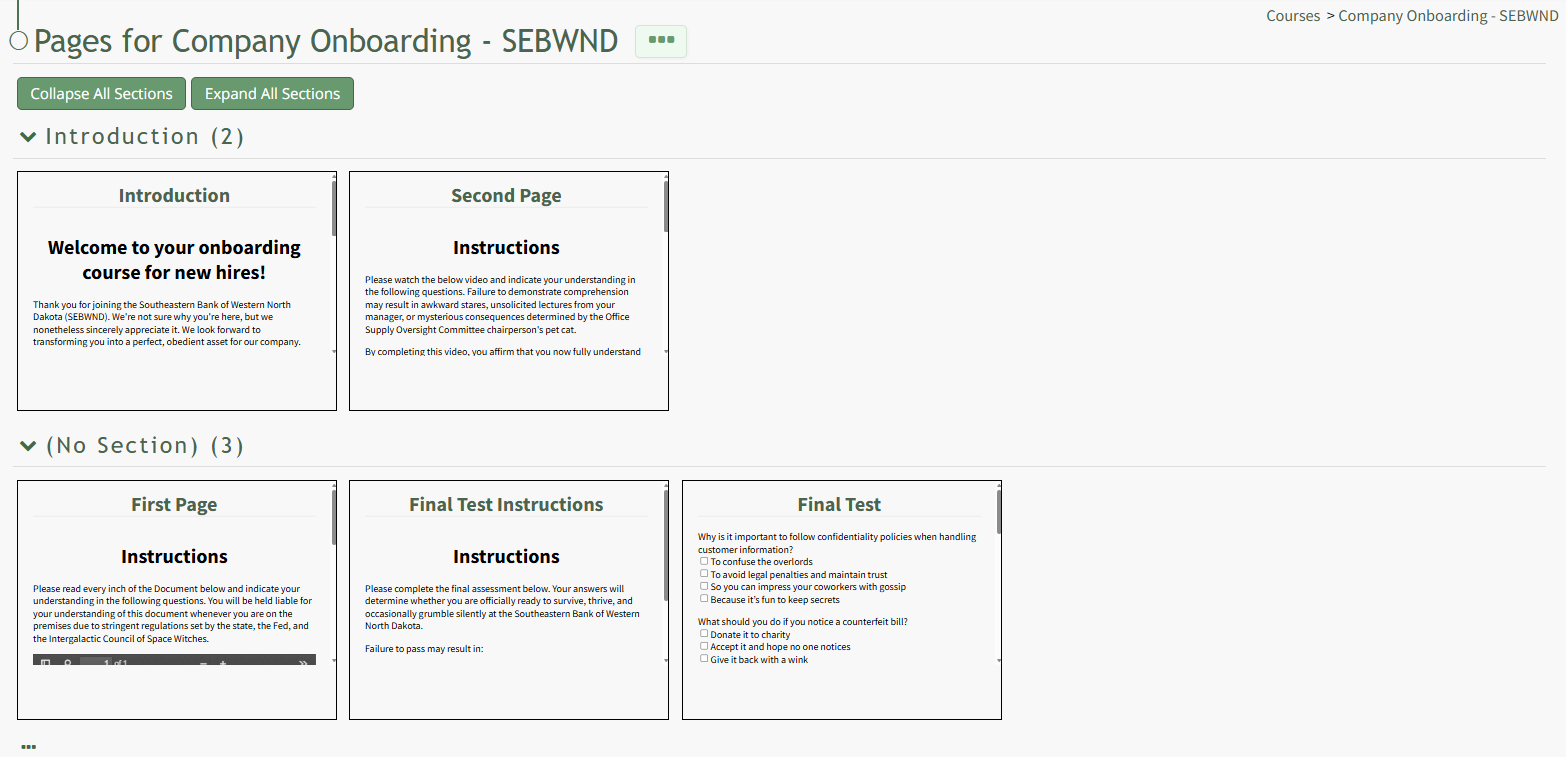
This opens the course's Details Page, displaying each page in the course grouped by sections.
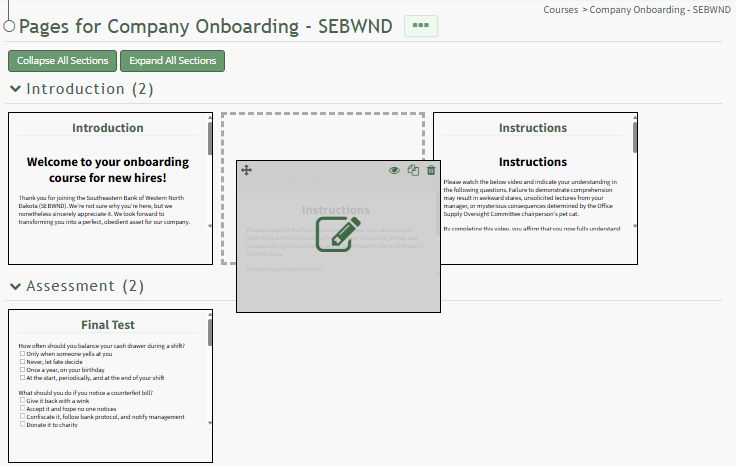
Drag and drop the pages to reposition them as desired.