# Edit the Admittance Desk Page
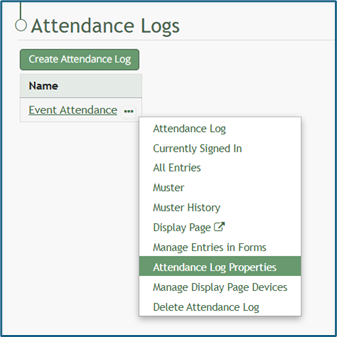
To edit the Admittance Desk Page for an Attendance Log, open the attendance log you wish to edit by going to the Home Page of the Attendance Module and clicking the three-dot icon to the right of the attendance log title, opening the context menu.
[](https://kaswiki.kastrack.com/uploads/images/gallery/2026-01/eOWimage.png)
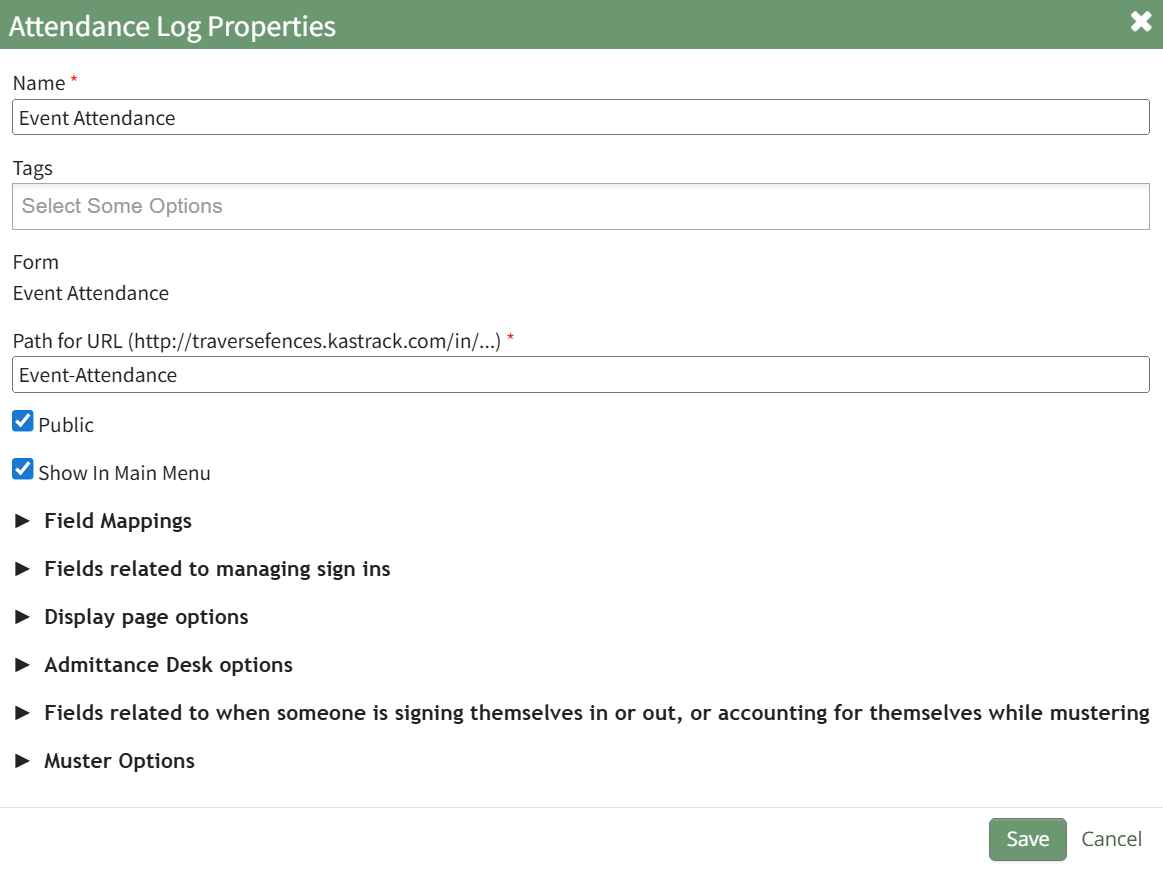
Select “Attendance Log Properties” from the context menu, opening the Attendance Log Properties Modal.
[](https://kaswiki.kastrack.com/uploads/images/gallery/2026-06/f49image.png)
Click the arrow to the left of “Admittance Desk Options” to expand the section.
Here, a certification role can be associated with the attendance log or changed. This feature is useful is there are requirements for individuals to access a facility or event. Refer to the People Module for an understanding of certification roles.
How To: Create, Define, and Assign Users to a New Certification Role
{{@423}}
How To: Add a Custom/Additional User Account Information Field
{{@856}}