Edit Page Properties
To edit the properties of a specific page in a course, you must be on a page within the course. An explanation of how to access a course page is provided in the How To below.
How To: Access a Course Page
To access a specific page in a course, open the Courses Module Home Page and click the three-dot icon to the right of the course title to open the Course Context Menu.
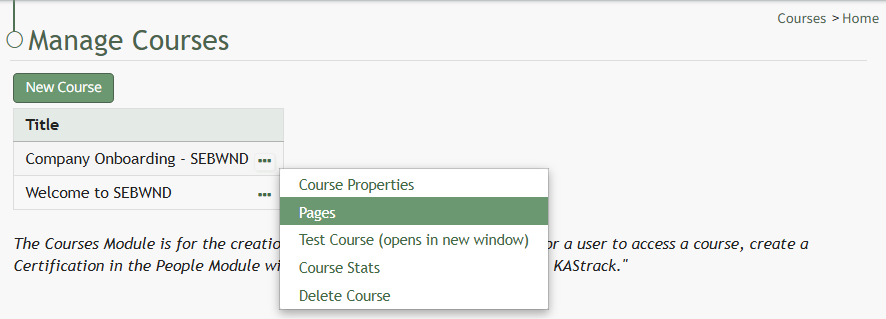
Select Pages from the Context Menu.
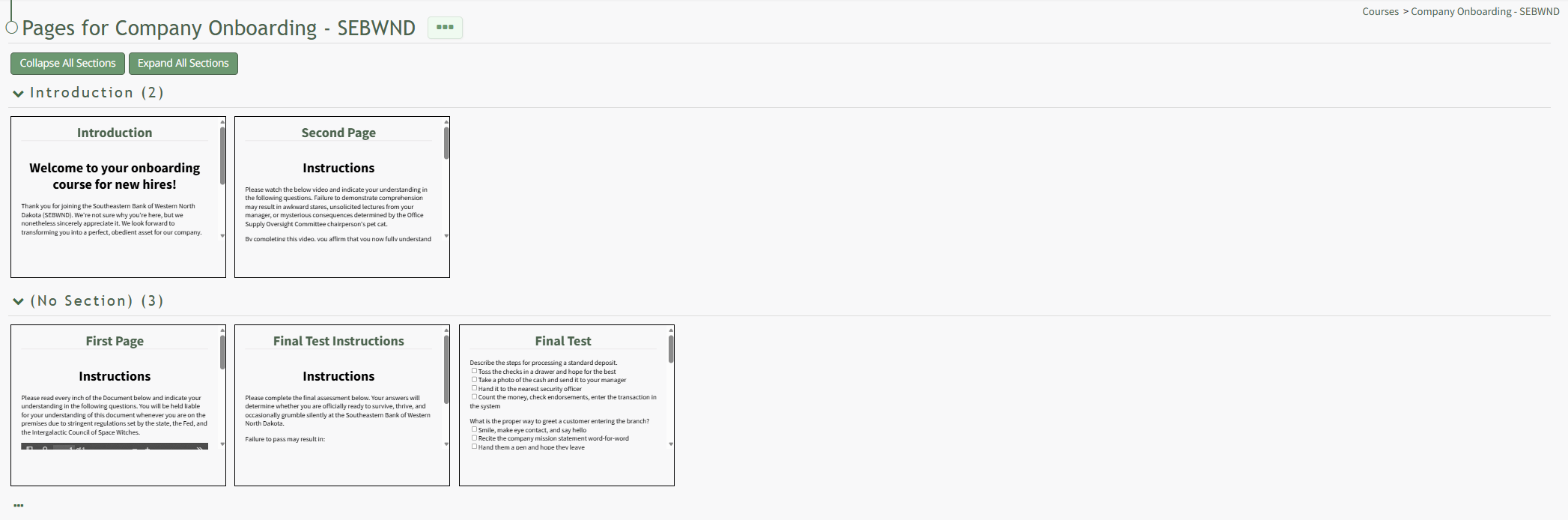
This opens a course's Details Page. Click the page you want to edit to access the page in the course.
Click the three-dot icon to the right of the page title opening the Page Context Menu.
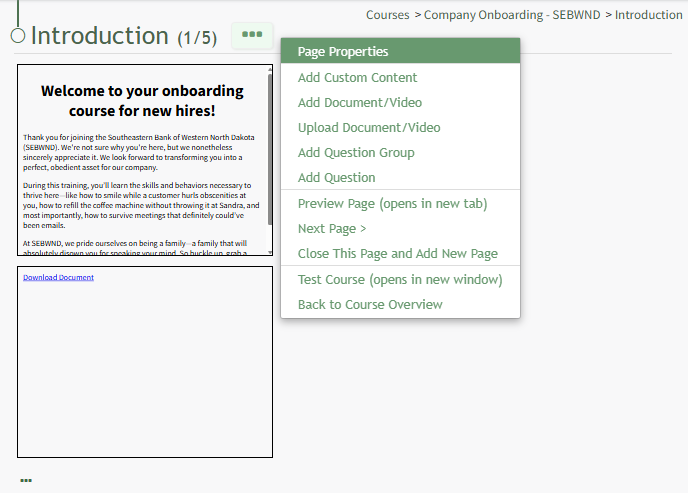
Select "Page Properties" from the context menu, opening the Page Properties Modal.
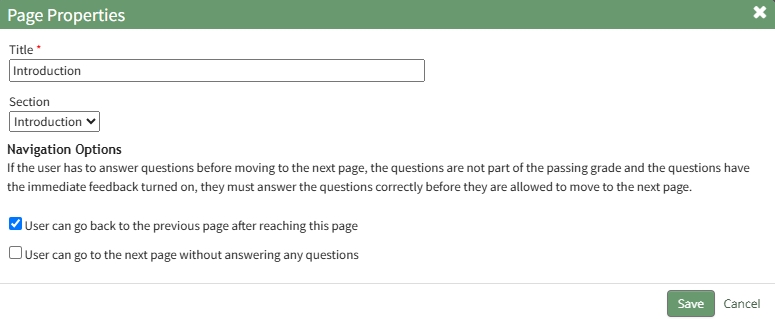
From this modal, you can edit the page title, change the section, or edit the navigation options. Click "Save" in the bottom right-hand corner on the modal once all desired changes have been made.