# Edit Company Info
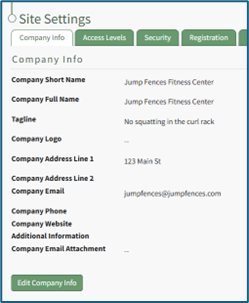
To edit company information, open the Company Info Tab from the Site Settings Page in the Site Settings Module.
[](https://kaswiki.kastrack.com/uploads/images/gallery/2025-11/bprimage.png)
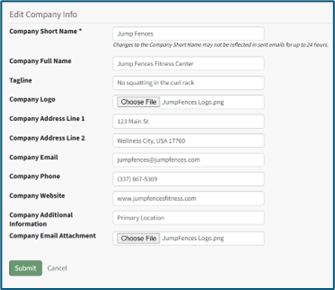
Select the “Edit Company Info Button” opening the Edit Company Info Page.
Add or make changes to Company Info as desired. Notes on possible inputs can be found under the Company Info Tab Heading. WIKI LINK COMPANY INFO TAB
[](https://kaswiki.kastrack.com/uploads/images/gallery/2025-11/2TBimage.png)
Click “Cancel” to return to the Company Info Tab without making any changes.
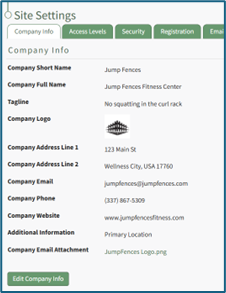
Select the “Submit” button and return to the Company Info Tab. The changes made and saved are now reflected on the Company Info Tab.
[](https://kaswiki.kastrack.com/uploads/images/gallery/2025-11/dRwimage.png)