Edit a Dispatch
To edit a dispatch, go to the Home Page of the Dispatch Module. Click the ID or Title of the specific dispatch you wish to edit.

This opens the Dispatch Details Page.

Click the edit dispatch properties icon to the right of the dispatch status opening the Dispatch Properties Modal.
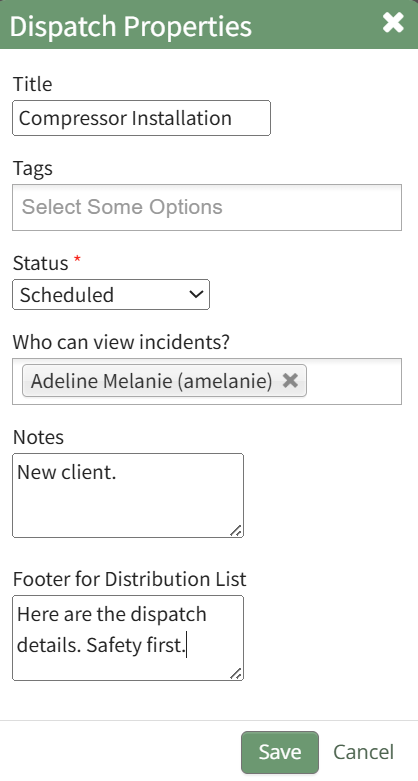
Edit the dispatch title, add/remove tags, change the dispatch status, indicate who has incident visibility, add notes or a footer for the distribution list.
Select the “Save” button and your edits have been saved.