# Delete A Course
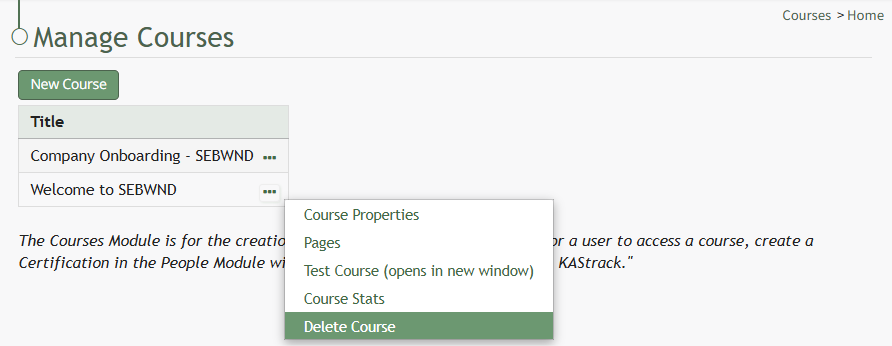
To delete a course, go to the Courses Module Home Page on the Main Menu. All courses are listed alphabetically in the Courses Table underneath the “New Course” button according to title.
[](https://kaswiki.kastrack.com/uploads/images/gallery/2026-06/G8himage.png)
Click the three-dot icon to the right of the course title opening the Course Context Menu and select Delete Course.
[](https://kaswiki.kastrack.com/uploads/images/gallery/2026-06/1kTimage.png)
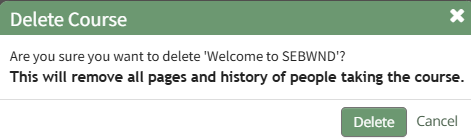
This opens the Delete Course Confirmation Module that states, "Are you sure you want to delete \[Course Name\]? This will remove all pages and history of people taking the course."
Select "Delete" to delete the course.
Deleting a course deletes the pages of the course and the course stats associated with it.
If the course is a required activity for a certification, it will not be deleted unless certification course requirement is removed from the certificate.