Delete A Course
To delete a course, go to the Courses Module Home Page on the Main Menu. All courses are listed alphabetically in the Courses Table underneath the “New Course” button according to title.
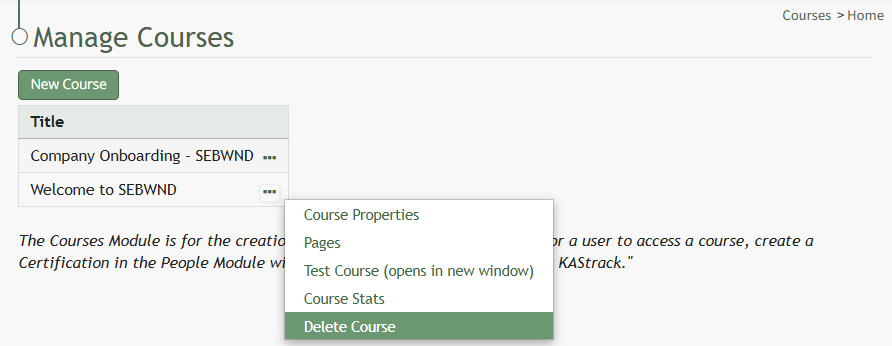
Click the three-dot icon to the right of the course title opening the Course Context Menu and select Delete Course.
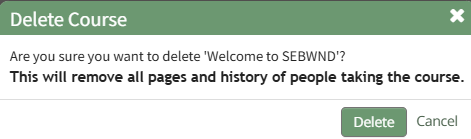
This opens the Delete Course Confirmation Module that states, "Are you sure you want to delete [Course Name]? This will remove all pages and history of people taking the course."
Select "Delete" to delete the course.
Deleting a course deletes the pages of the course and the course stats associated with it.
If the course is a required activity for a certification, it will not be deleted unless certification course requirement is removed from the certificate.