# Delete a Company
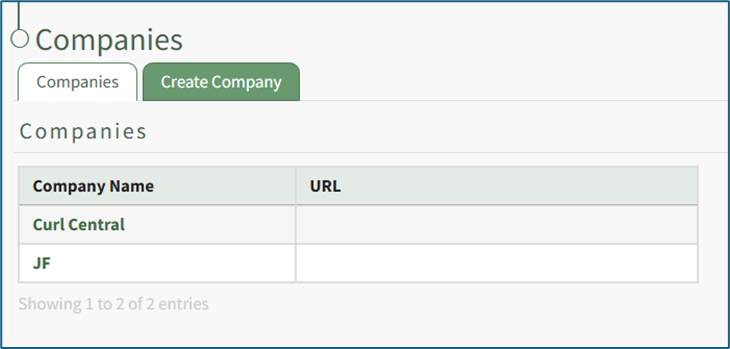
To delete a company, open the Companies Tab on the Companies Page in the People Module.
[](https://kaswiki.kastrack.com/uploads/images/gallery/2026-01/nwJimage.png)
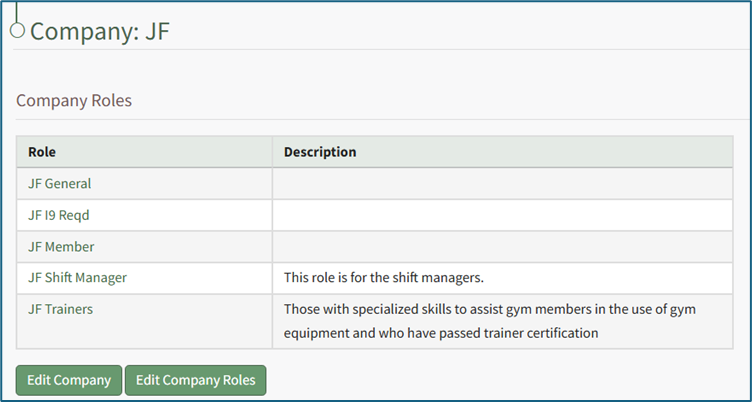
Clicking on the name of a Company will open the company's Details Page that displays the Company Roles with their description.
[](https://kaswiki.kastrack.com/uploads/images/gallery/2026-01/bK4image.png)
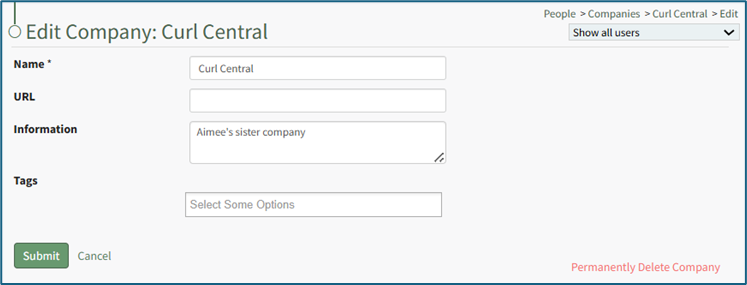
Select the “Edit Company” button to open the Edit Company Page.
[](https://kaswiki.kastrack.com/uploads/images/gallery/2026-01/1y5image.png)
The original company cannot be deleted. This is a system-constraint.
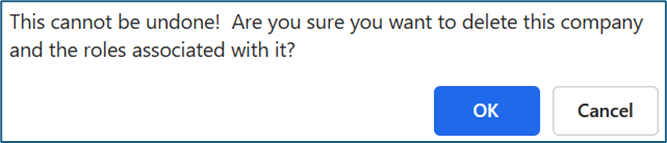
Click “Permanently Delete Company” from the bottom right-hand corner to permanently delete the company, opening a Deletion Confirmation Modal.
[](https://kaswiki.kastrack.com/uploads/images/gallery/2026-01/Dfgimage.png)
The modal states “This cannot be undone! Are you sure you want to delete this company and the roles associated with it?” Click the “OK” button to permanently delete the company.