Create a Pre-Defined Distribution List
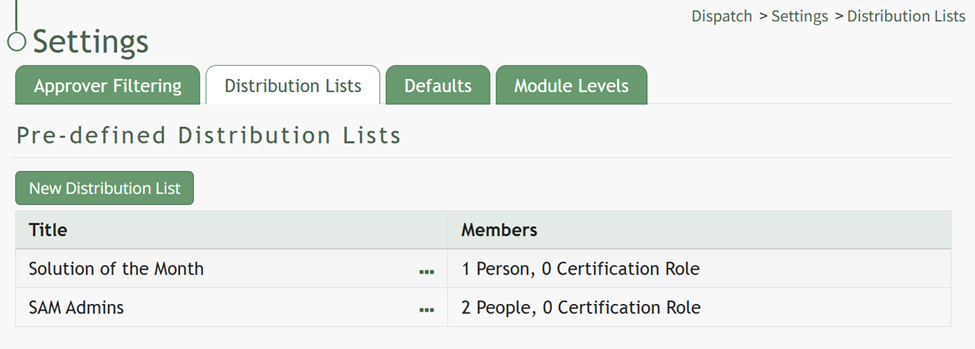
To create a new pre-defined distribution list, go to the Distribution Lists Tab on the Settings Page of the Dispatch Module.

Click the “New Distribution List” button above the Pre-Defined Distribution List Table opening the New Distribution List Modal.
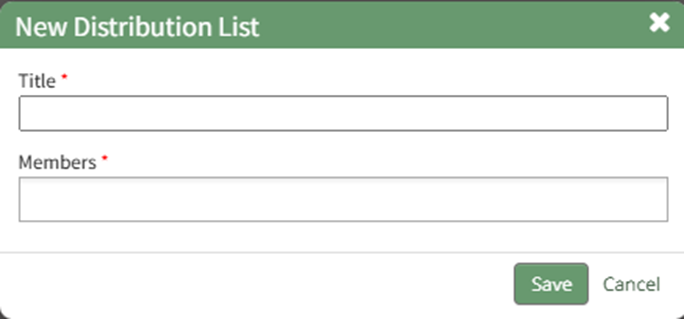
Input the Title of the new distribution list. Clicking the Members field will open a dropdown menu of all Users and Certification Roles that can be added to the Distribution Lists. Multiple selections can be made.
Select the “Save” button and the new distribution list will now show in the Pre-Defined Distribution List Table.