# Create a New Asset Type
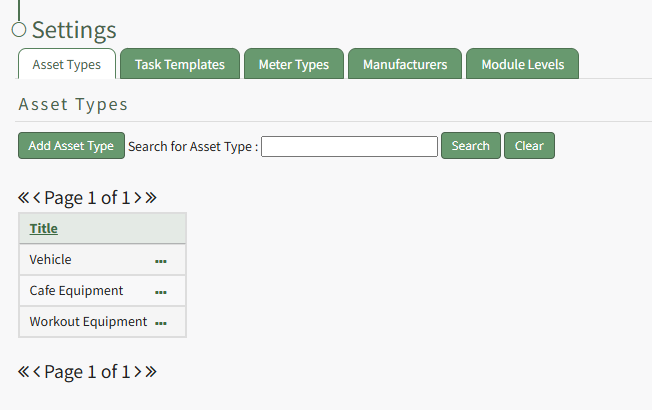
To create a new asset type, open the Asset Types Tab on the Settings Page of the Assets Module.
[](https://kaswiki.kastrack.com/uploads/images/gallery/2026-01/OBfimage.png)
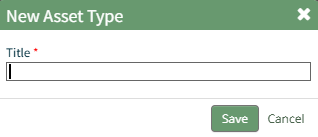
Selecting the “Add Asset Type” button opens the New Asset Type modal.
[](https://kaswiki.kastrack.com/uploads/images/gallery/2026-01/3YCimage.png)
Input the title of the New Asset Type and click “Save”.
The newly created Asset Type will now show in the table on the Asset Type tab on the Settings page and is ready for you to add fields to.
How To: Add Fields to an Asset Type
{{@496}}