# Clear a PDF Cache
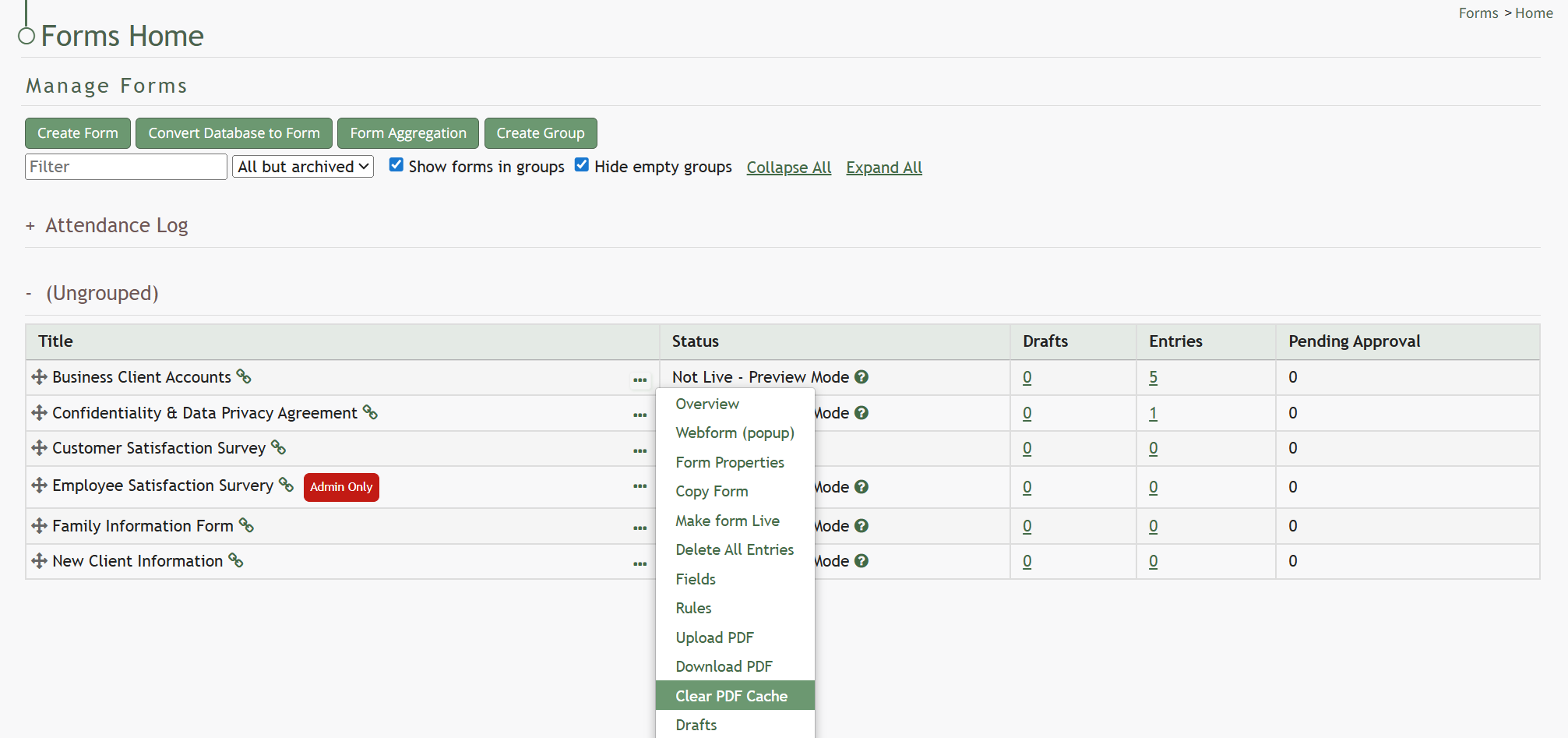
To clear the PDF cache, go to the Home Page of the Forms Module. Click the three-dot icon to the right of the form title opening the Forms Table context menu. Select “Clear PDF Cache”.
[](https://kaswiki.kastrack.com/uploads/images/gallery/2026-06/MdDimage.png)
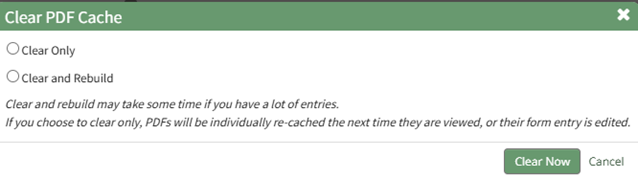
This opens the Clear PDF Cache Modal.
[](https://kaswiki.kastrack.com/uploads/images/gallery/2026-01/xy0image.png)
Select between two options: “Clear Only” or “Clear and Rebuild”.
If you choose to clear and rebuild, the process can take time to complete if you have a lot of entries.
Select “Clear Now” and a confirmation modal will appear stating, “The cache has been cleared.”
[](https://kaswiki.kastrack.com/uploads/images/gallery/2026-01/fp2image.png)