Archive an Action Group
To archive an action group, click the edit icon next to the group's title on the Actions Home Page, or select the Groups Page on the Main Menu, opening the Manage Action Groups Page. Then click the three-dot icon to the right of the action group to open the Action Group Context Menu.
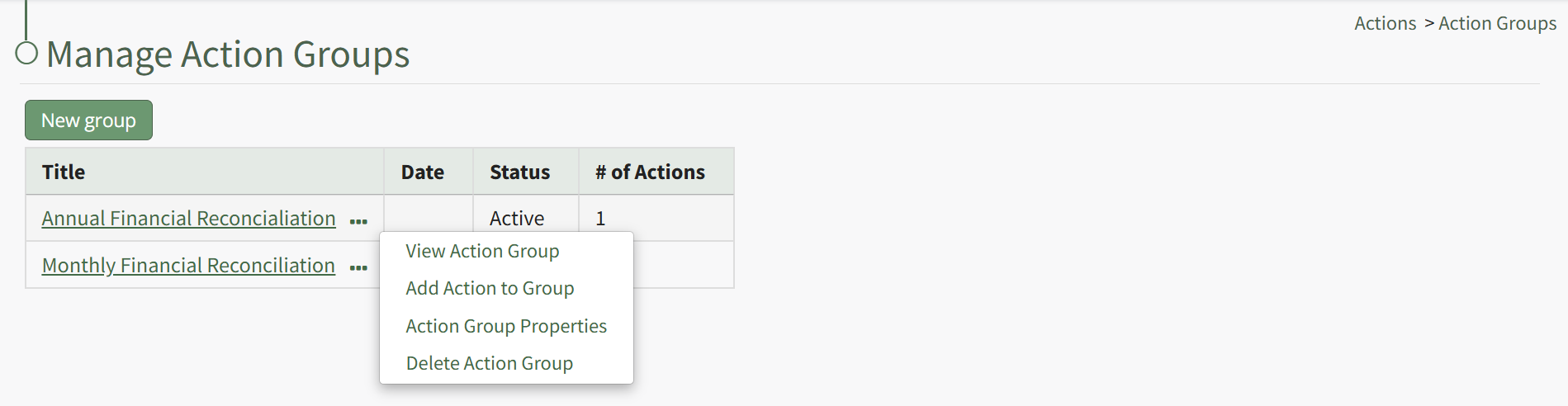
Select “Action Group Properties” from the context menu, opening the Action Group Properties Modal.
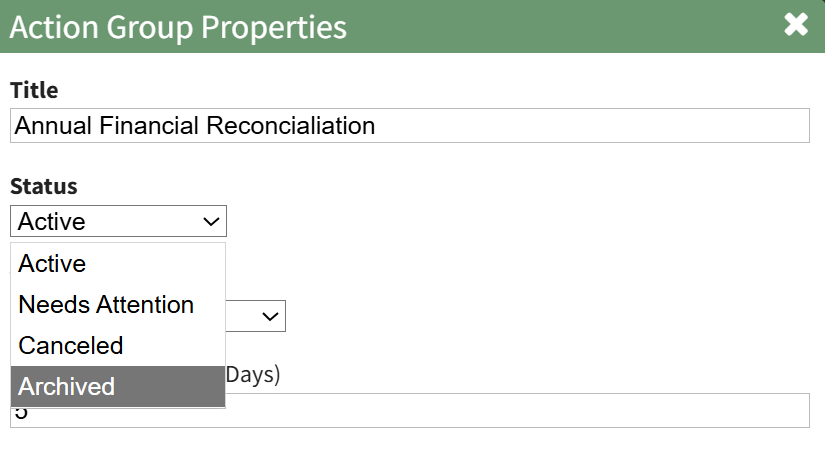
Select “Archived” from the Status dropdown menu. Then select “Save” at the bottom of the modal.
The action group is now archived.