# Approve a File Submitted for Review

To approve a file that was submitted for approval, open the Actions Tab on the Review Page in the Documents Module from the Main Menu and click the vertical three-dot icon to the right of the file submitted for approval opening the Approvals Context Menu.

[![image.png](https://kaswiki.kastrack.com/uploads/images/gallery/2026-04/scaled-1680-/e7uimage.png)](https://kaswiki.kastrack.com/uploads/images/gallery/2026-04/e7uimage.png)

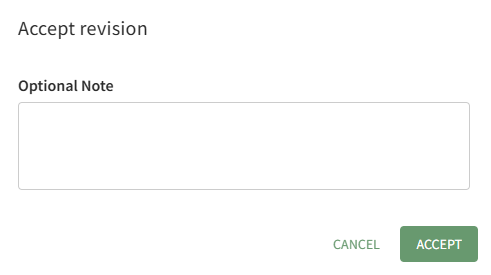
<span style="white-space: pre-wrap;">Select the Approve option, opening the Accept Revision Modal. </span>

<p class="callout info">Clicking the thumbs up icon will also open the Accept Revision Modal.</p>

[![image.png](https://kaswiki.kastrack.com/uploads/images/gallery/2026-04/scaled-1680-/UjQimage.png)](https://kaswiki.kastrack.com/uploads/images/gallery/2026-04/UjQimage.png)

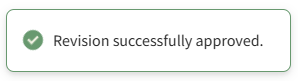
You have the option to include a note regarding the revision being approved. Click the Accept button and a pop-up confirms that the revision was successfully approved.

[![image.png](https://kaswiki.kastrack.com/uploads/images/gallery/2026-04/scaled-1680-/KToimage.png)](https://kaswiki.kastrack.com/uploads/images/gallery/2026-04/KToimage.png)
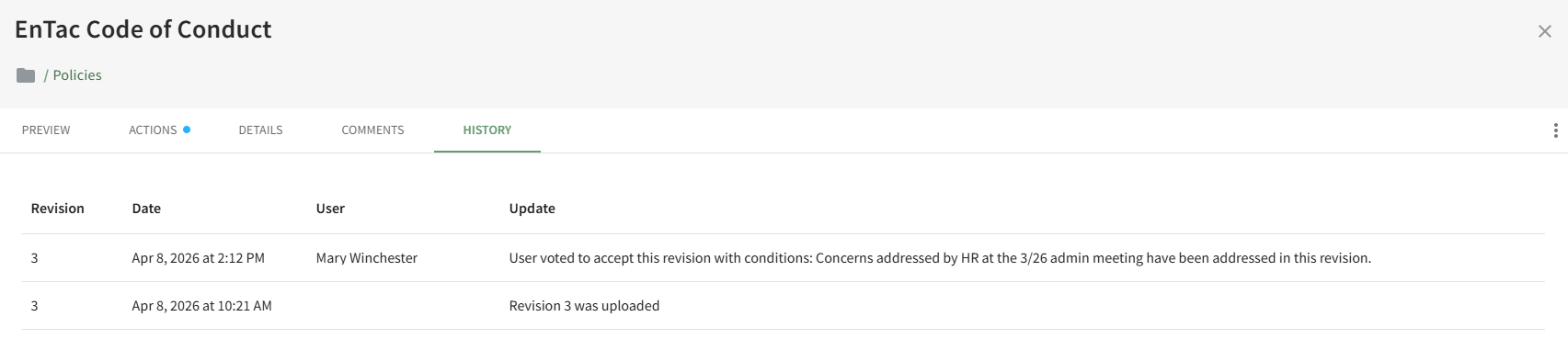
Notes made when the file was approved are visible on the History Tab of the document's Details Page.

[![image.png](https://kaswiki.kastrack.com/uploads/images/gallery/2026-04/scaled-1680-/e8Fimage.png)](https://kaswiki.kastrack.com/uploads/images/gallery/2026-04/e8Fimage.png)