# Add Tasks to a Task Template
To add tasks to a task template, go to the Task Template Tab on the Settings Page of the Assets Module.
[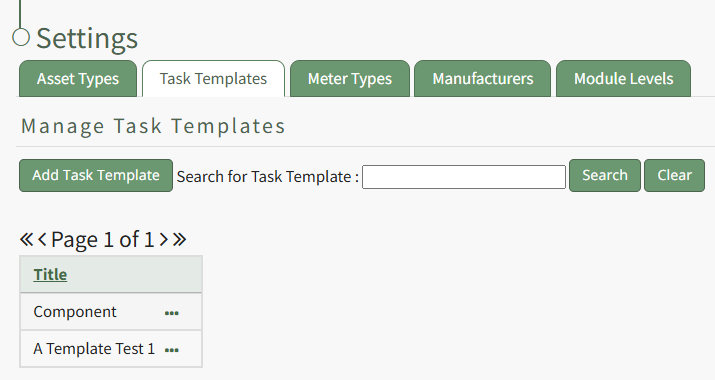](https://kaswiki.kastrack.com/uploads/images/gallery/2026-01/dPDimage.png)
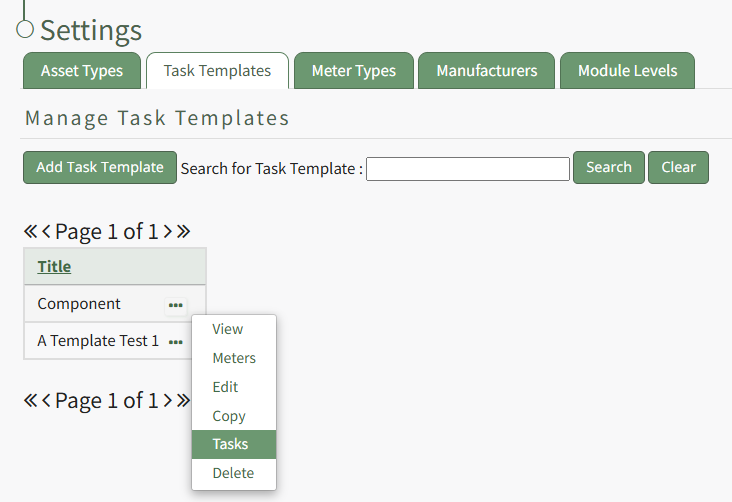
Select the three-dot icon to the right of the task template you wish to add a task to opening the Task Template Context Menu. Select "Tasks".
[](https://kaswiki.kastrack.com/uploads/images/gallery/2026-01/DAAimage.png)
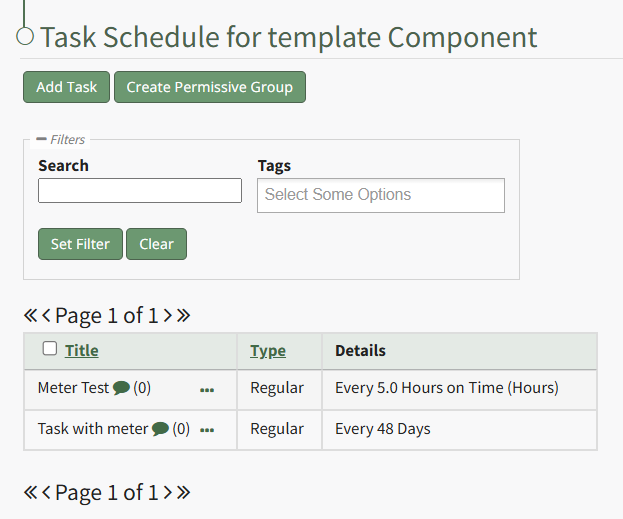
This opens the Task Template Task Schedule. Select the "Add Task" button beneath the page header.
[](https://kaswiki.kastrack.com/uploads/images/gallery/2026-01/tGwimage.png)
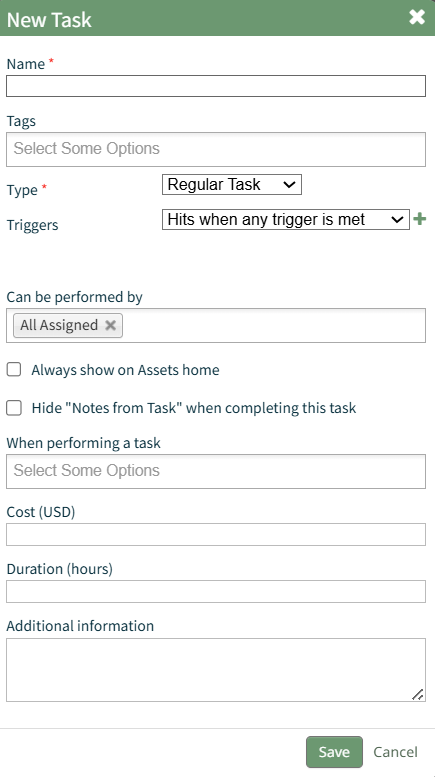
This opens the New Task Modal.
[](https://kaswiki.kastrack.com/uploads/images/gallery/2026-01/i7simage.png)
Input the information for the New Task and select the "Save" button.
For a detailed explanation on creating new tasks, refer to the How To Add a Task to an Asset.
How To: Create a New Task on the Task Schedule
{{@881}}