# Add a New Budget
To create a new budget within the Finance Module, go to any tab on the Budgets Page and select the “Add New Budget” button.
[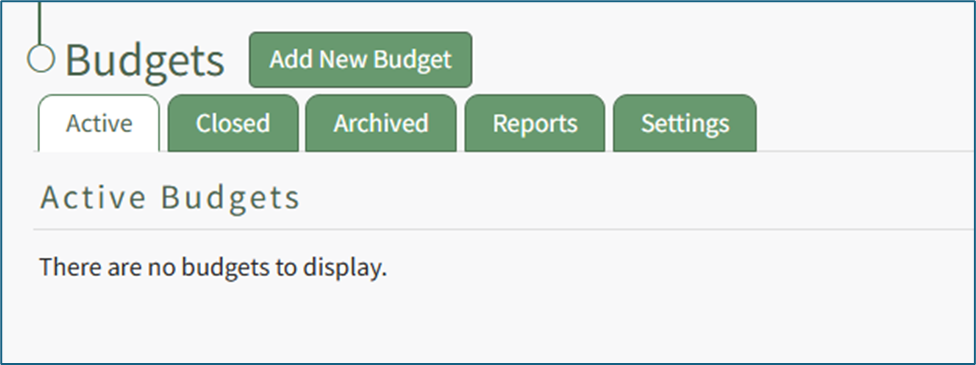](https://kaswiki.kastrack.com/uploads/images/gallery/2025-12/6RUimage.png)
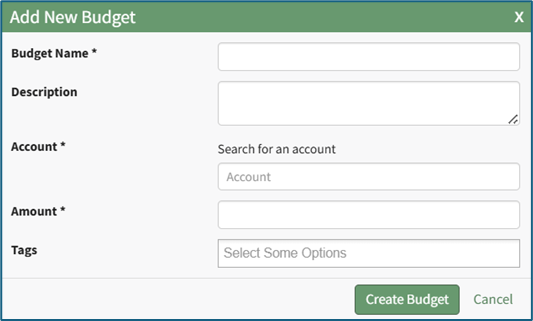
This opens the Add New Budget Modal.
[](https://kaswiki.kastrack.com/uploads/images/gallery/2025-12/AMpimage.png)
Input the budget name and a description.
Identify the individual to be listed as the account. Account refers to the individual whose account is linked to the budget as an owner.
You can only select one individual.
Include the budget amount.
Select any tags for categorization or security purposes.
If an individual is not associated with a budget as the account holder or an approver, they cannot be given visibility.
Click the “Create Budget” button and the newly created budget will show in the Active Budgets Table on the Active Tab of the Budgets Page.