Access will only be given to users who have permission to view the folder unless the folder has been indicated as public.
Click the vertical three-dot icon to the far right of the folder, opening the folder's context menu. Select the QR Code/Link option. [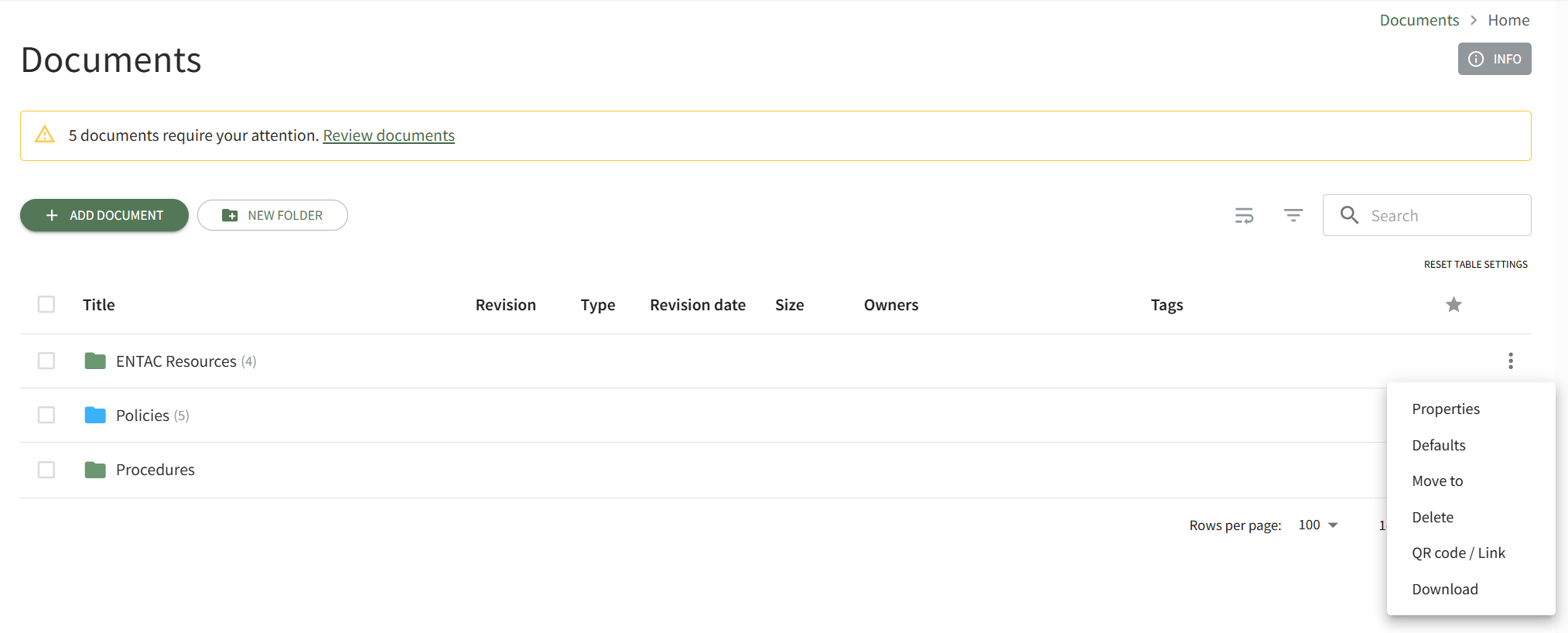](https://kaswiki.kastrack.com/uploads/images/gallery/2026-06/JvEimage.png) This opens the folder's Direct Access Modal. [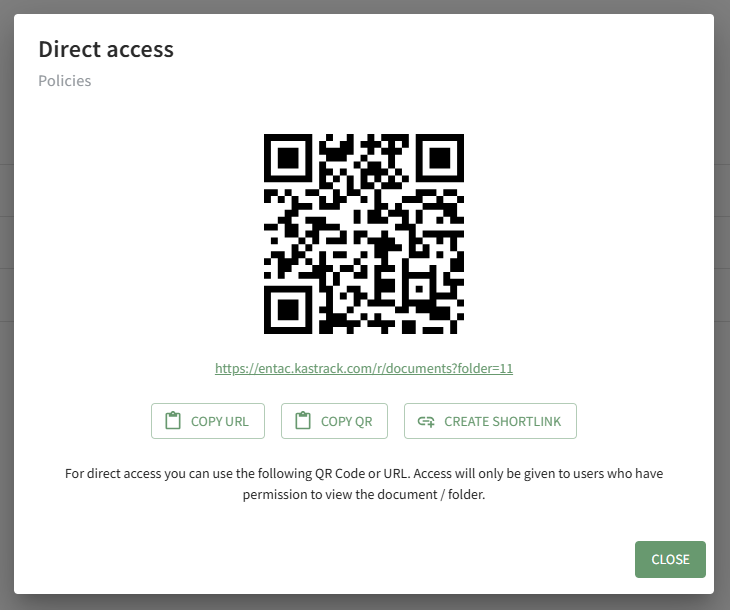](https://kaswiki.kastrack.com/uploads/images/gallery/2026-04/zQFimage.png) From this modal, you can copy the URL Link and/or copy the QR code.Clicking the Create Shortlink button will generate a shortened URL link for file and display it on the modal.