# Review Page: Updates Tab

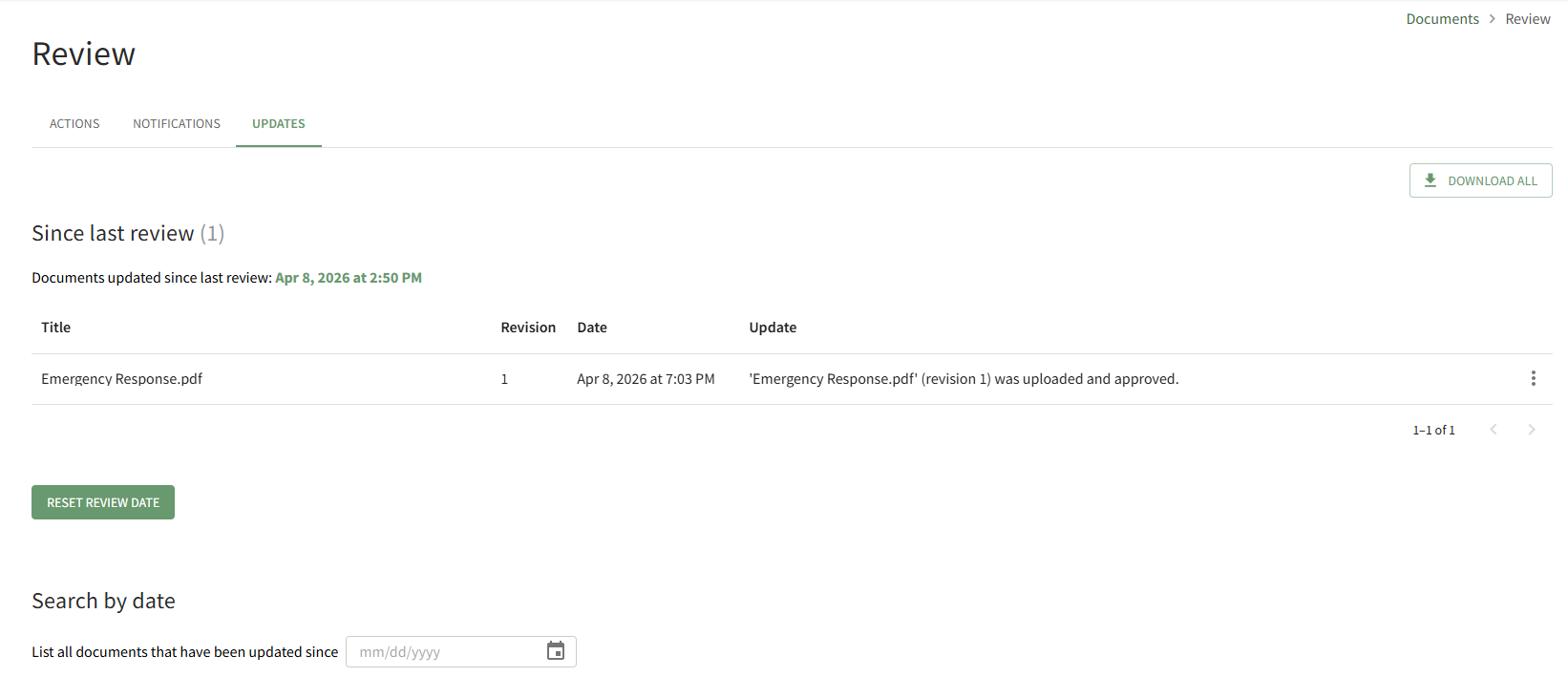
The Updates Tab on the Review Page allows the user to view any files that have been updated since the last review of new files or revisions. Any files that have been updated since the last review date will be shown here.

<p class="callout info">If the review date has never been reset, the default date will show as Dec 31, 1970 at 6:00 PM.</p>

[![image.png](https://kaswiki.kastrack.com/uploads/images/gallery/2026-04/scaled-1680-/mydimage.png)](https://kaswiki.kastrack.com/uploads/images/gallery/2026-04/mydimage.png)

The “Download All” button located at the far right enables downloading of all files that have had revisions made since the user’s last review.

<details id="bkmrk-how-to%3A-reset-the-si"><summary>How To: Reset the Since Last Review Document List</summary>

{{@902}}

</details><details id="bkmrk-how-to%3A-search-all-d"><summary>How To: Search all Documents Updated after a Selected Date</summary>

{{@904}}

</details>