# Dispatch Home Page
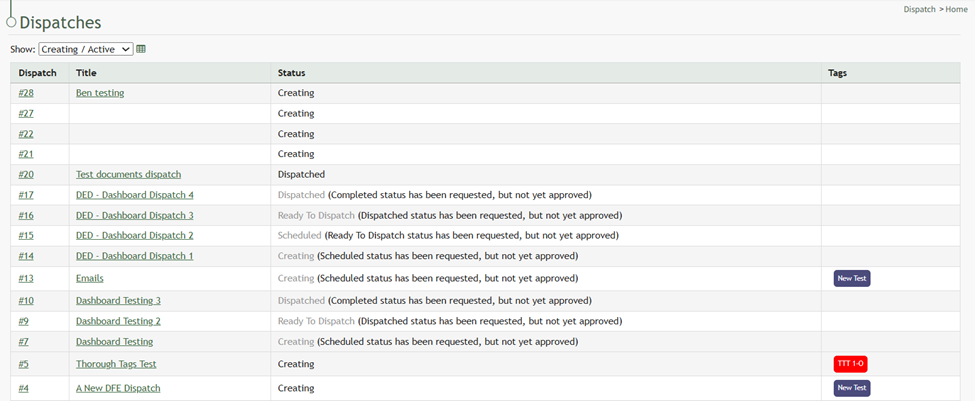
The Dispatch Home Page contains the Dispatch Table, which displays the dispatch's number, title, status, and any tags attached.
[](https://kaswiki.kastrack.com/uploads/images/gallery/2026-01/q85image.png)
Dispatches shown on the Home Page Table can be filtered by status: all, creating, scheduled, ready to dispatch, dispatched, completed, canceled, and archived.
The spreadsheet icon converts the home page to a datatable, where columns can be sorted alphabetically and searched for easy of use.
[](https://kaswiki.kastrack.com/uploads/images/gallery/2026-01/SKzimage.png)
Refresh the page to revert back to the original table view.
[](https://kaswiki.kastrack.com/uploads/images/gallery/2026-01/j1Gimage.png)
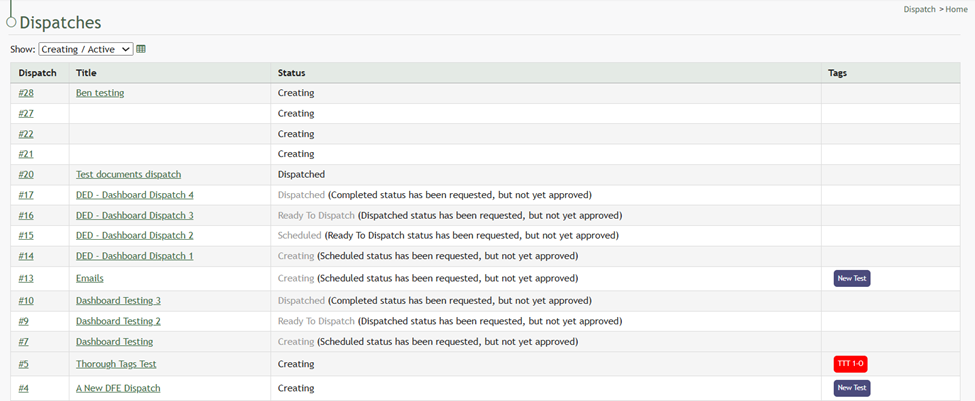
Clicking the dispatch number or title will lead to the specified dispatch details page.
The dispatch status is grey when the dispatch is pending approval.